






Card payments for your repair shop, with SumUp straight in RepairCMS
Take card payments for repair shops straight from RepairCMS. Part of the point of sale with HelloCash, coming soon. Pair a SumUp Solo, take cash and card at the same counter, print the receipt.
Coming soon. In a demo we show you card payments ahead of launch, and you can try RepairCMS today.
 ★★★★★
5.0 on Software Advice
★★★★★
5.0 on Software Advice
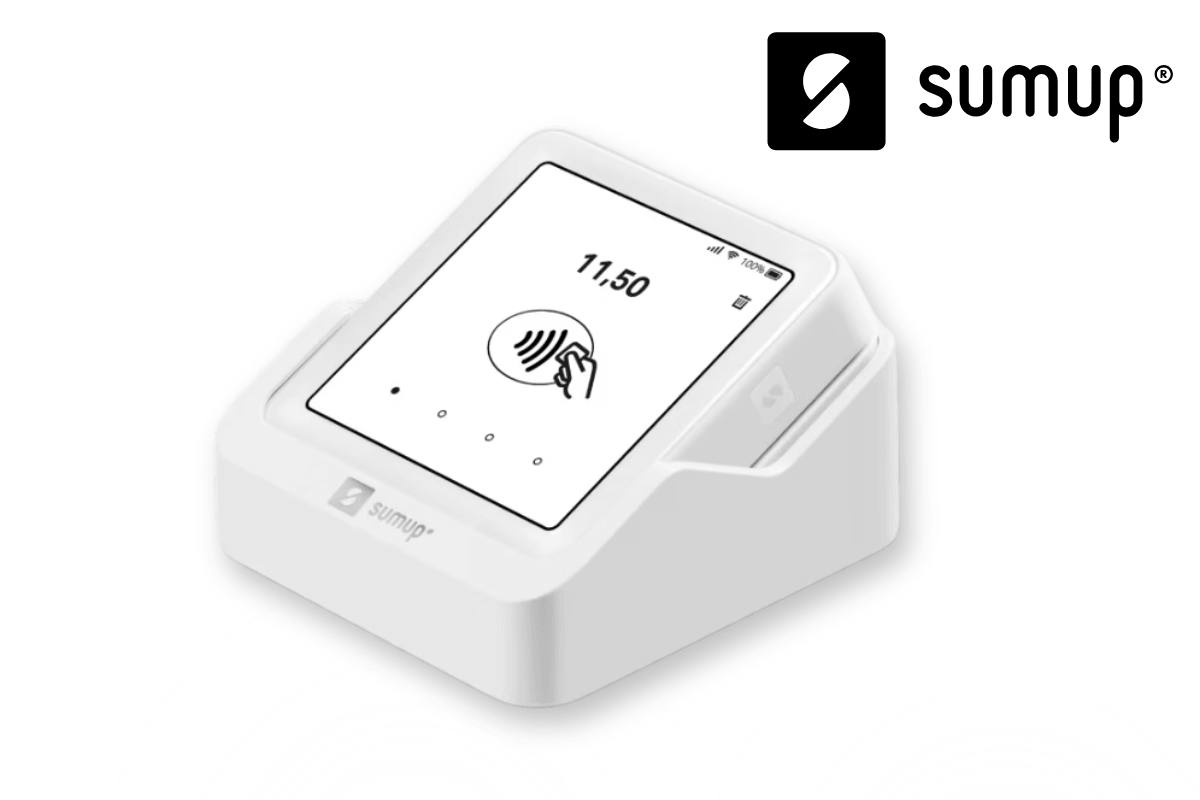
Coming soon, together with the point of sale
Card payments through SumUp are coming soon. They are part of the point of sale with HelloCash, and we are finishing the integration right now. On this page you can already preview how a card payment runs at the counter. Want to see it in detail first? Book a demo. And you can try RepairCMS itself free today.
01Why card payments inside RepairCMS
The card belongs at the counter, not in a second system
A separate card terminal that has nothing to do with your till costs you time and creates mistakes. And your customers expect to pay by card, cash alone is no longer enough.
Terminal and till run apart
Card reader here, till there. You read the amount off one screen and type it into the other. Extra steps, transposed digits, time that should go to your customer.
Typing amounts costs time and creates errors
Every amount you key into the terminal by hand is a chance to get it wrong. At a busy counter that adds up fast.
Your customers expect card
Chip, contactless, phone. Whoever cannot take card loses the sale or sends the customer to the cash machine. Card at the counter is simply expected now.
02The feature set
What SumUp card payments in RepairCMS do for you
Take card payments straight from your repair management, on the same till you already use. Shown here as an overview, step by step further down.

Card payments (SumUp)
Take card payments for repair shops straight from your repair management, no second system next to RepairCMS.
Planned for every RepairCMS plan, with no plan restriction. The connection is included in RepairCMS. Card payments run through the point of sale with HelloCash, for which you need a HelloCash Premium plan. The SumUp terminal and transaction fees you settle directly with SumUp.
Card through the paired SumUp Solo
The amount goes to the paired terminal. Chip, contactless or phone, your customer taps and the till updates automatically.
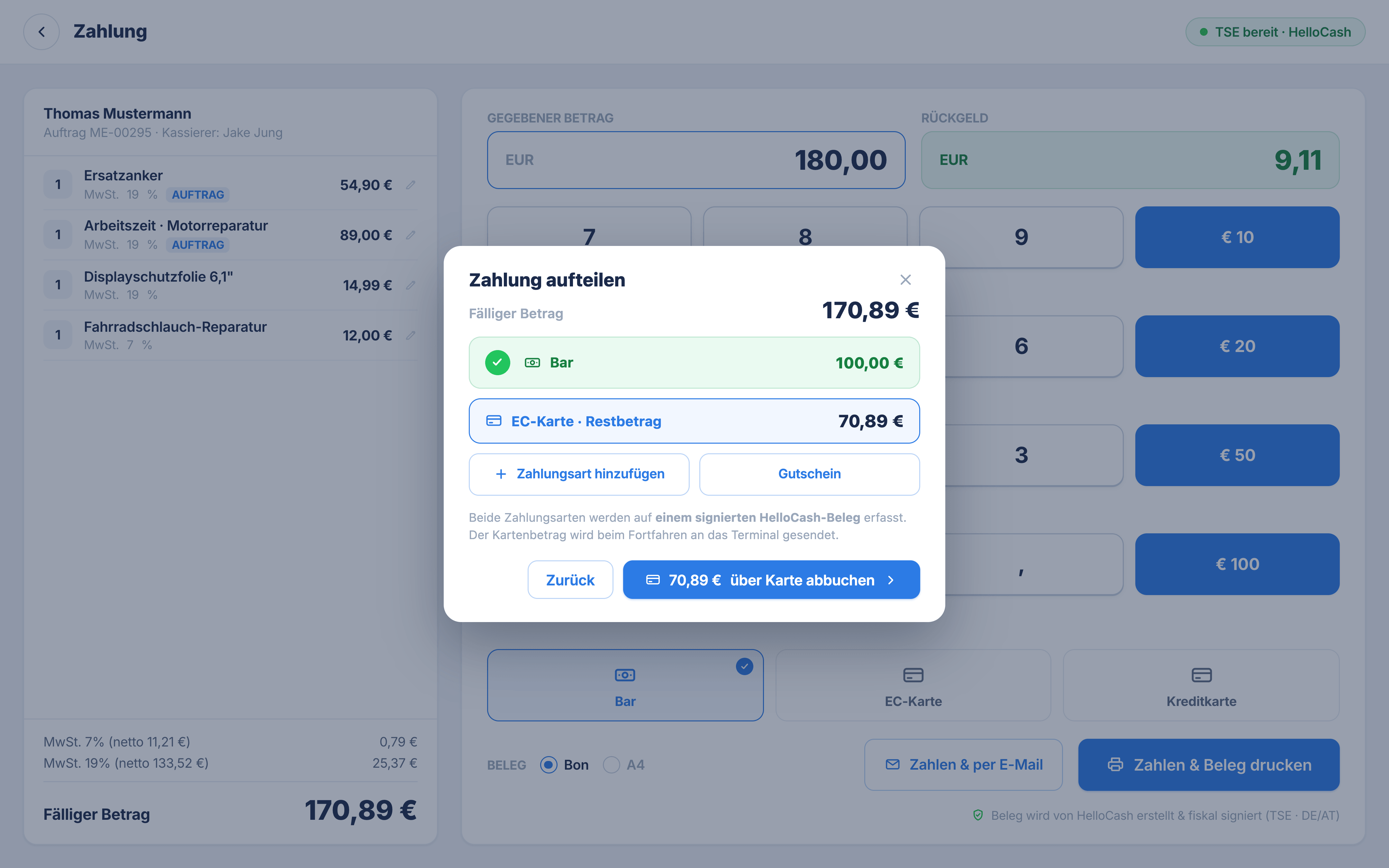
Split a payment, cash and card
Part cash, the rest by card, in one checkout. The POS works out the remaining amount, you just keep taking payment.
Fiscally compliant through HelloCash
Card payments run through the point of sale with HelloCash, with TSE for Germany and RKSV for Austria. Fiscal compliance runs through HelloCash, not through RepairCMS.
03The core workflow
How a card payment runs at the counter
Nothing to relearn. You open the order or sale in the till, start the payment, and the terminal does the rest. Before payment you pick the cashier, so every transaction is cleanly assigned from the start.
Open the order or sale in the till
Pull the repair order into the till or start a quick sale. The line items and the total are ready, no retyping.
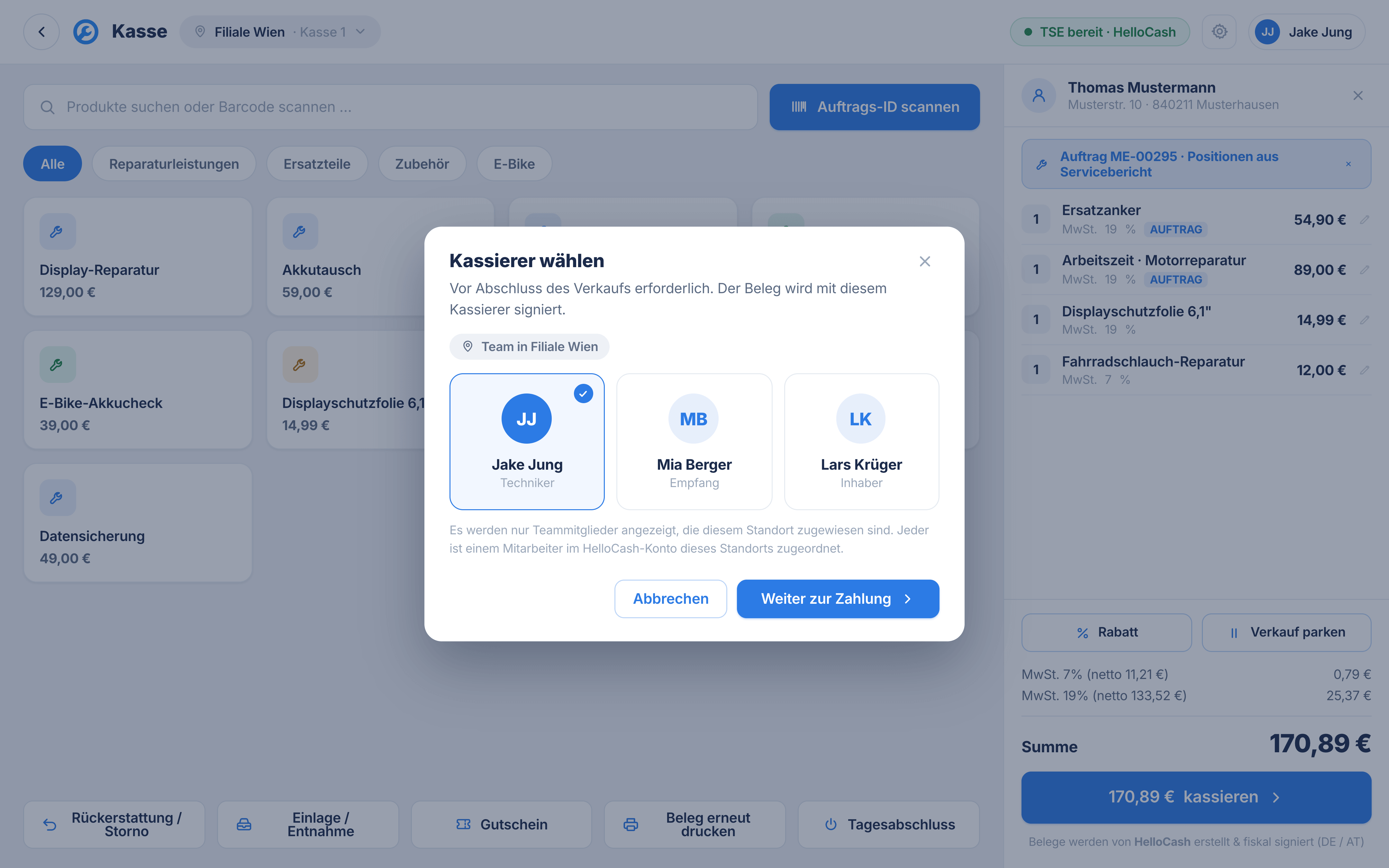
Start the payment in full screen
A large payment screen with clear amounts and quick keys, made for the counter. You start the card payment and the amount goes straight to the paired SumUp Solo.
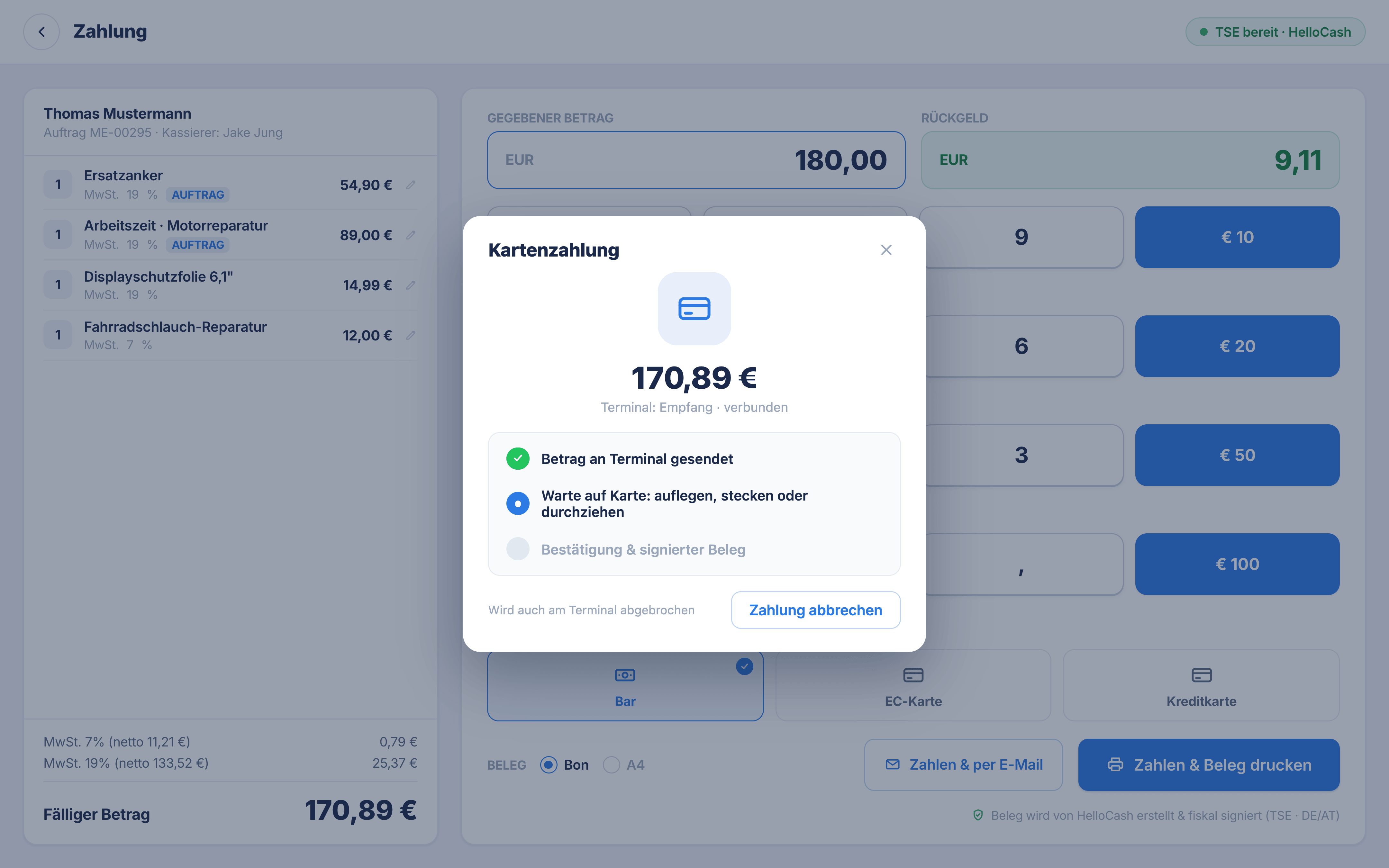
Waiting for the card, cancel any time
You see at the till when the terminal is waiting for the card. Chip, contactless or phone. If the customer changes their mind, you cancel any time and switch to cash or a split.
Receipt as a slip or A4, by print or email
After a successful payment the receipt actions sit right next to the change due. Print the receipt or send it by email, as a slip or A4.
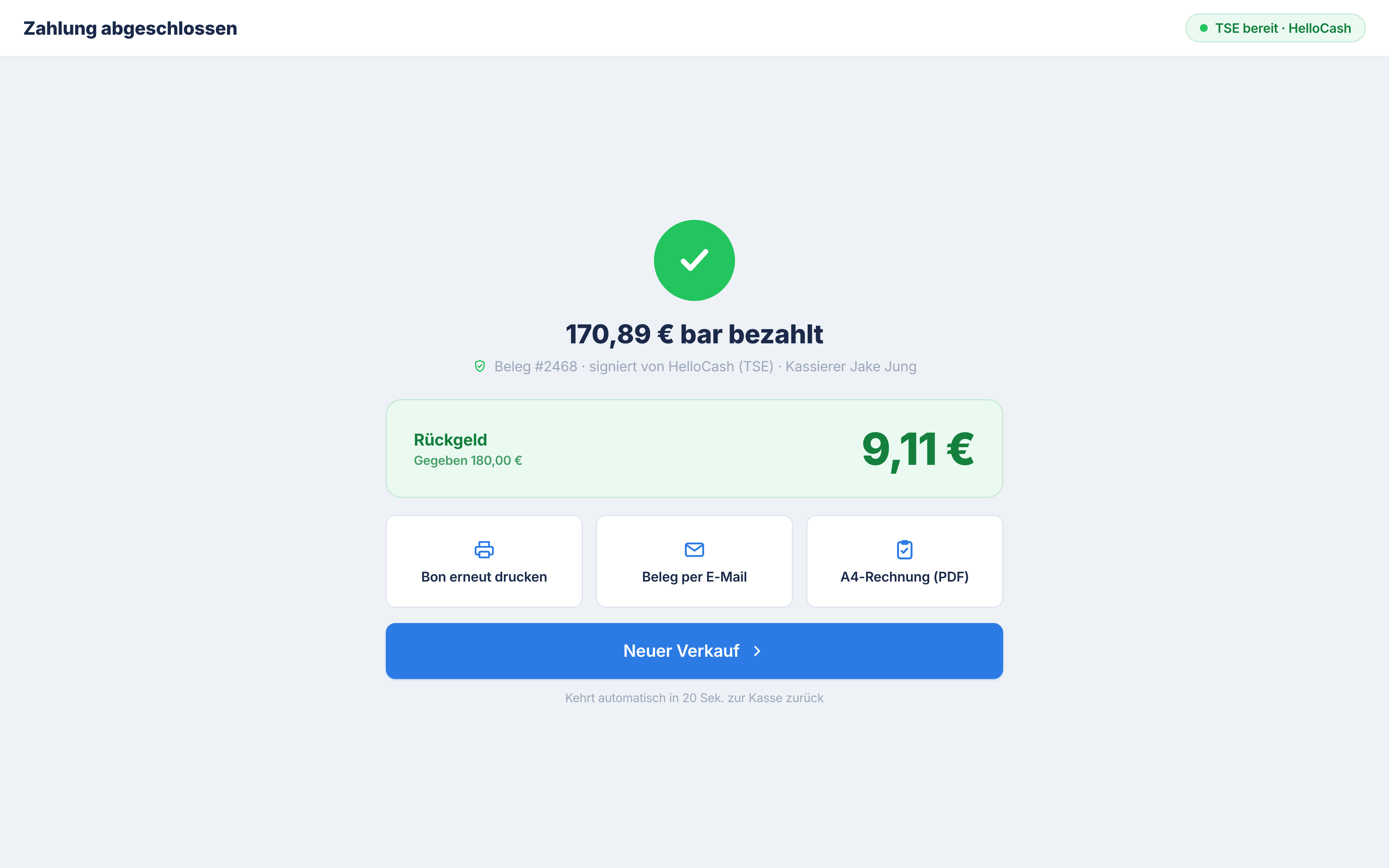
Card payments are part of the till. The point of sale with HelloCash shows you the full checkout workflow, from the order to the daily close.
04The recommended device
The SumUp Solo terminal
For card payments at the counter we recommend the SumUp Solo. A standalone terminal you pair with the till, no juggling a second phone.
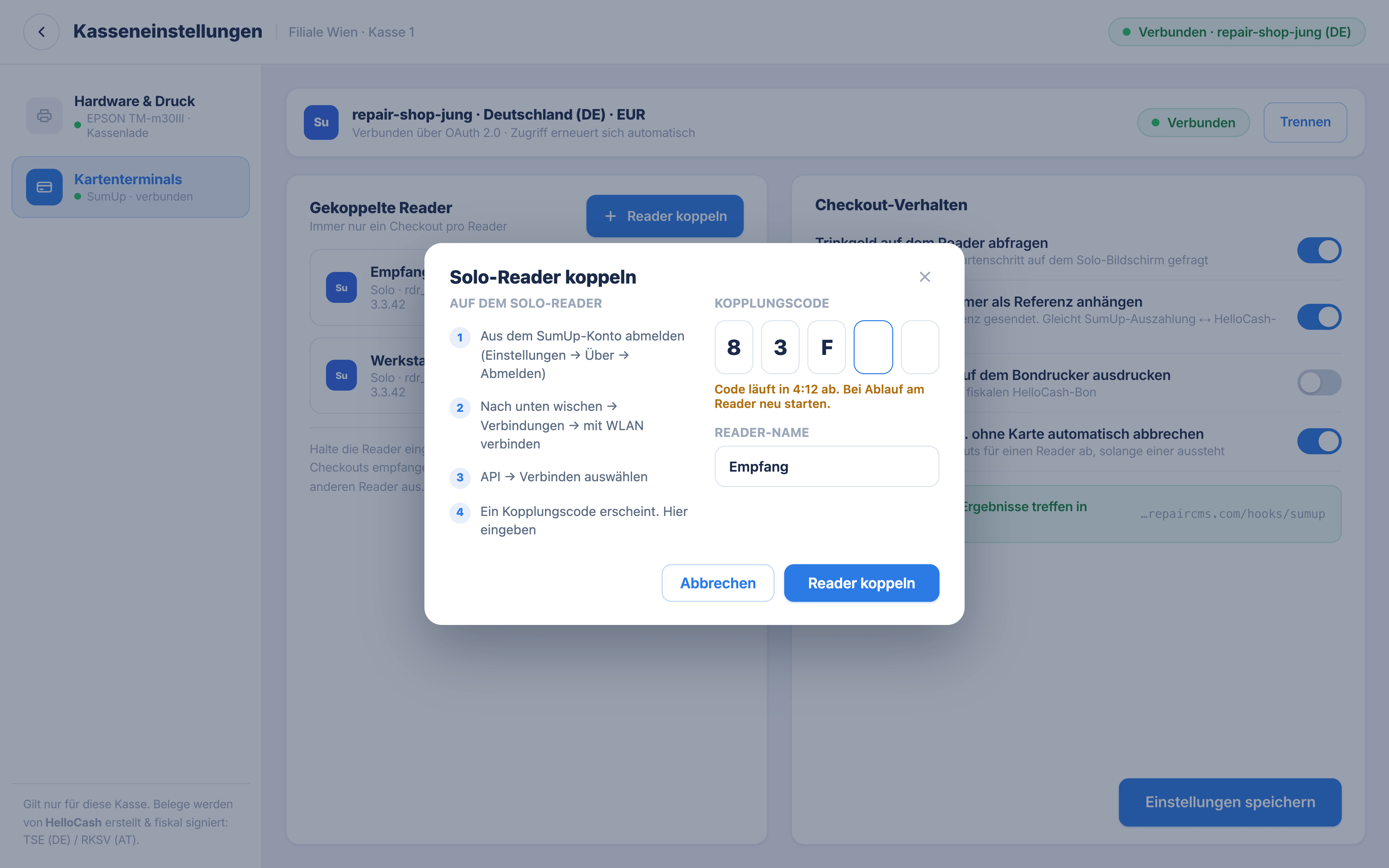
Paired with a coupling code
You add the terminal in the till settings, enter the coupling code, and your SumUp Solo is paired with the till. The POS walks you through it step by step.
Standalone with its own display
The SumUp Solo works on its own with its own screen, so you do not need a separate smartphone next to it. It sits at the counter and takes card on its own.
Order the terminal directly from SumUp
The SumUp Solo you order directly from SumUp. Once it is paired with the till, card payments run straight from RepairCMS.
05Transparent, no hidden costs
Costs and requirements
So you know where you stand from the start.
What is included
What you settle directly with the providers
POS setup TSE/RKSV
Coming soonIf you like, we set it all up for you: HelloCash account, TSE or RKSV registration, the link to RepairCMS and a first test receipt. Also coming soon, as soon as the integration launches.
See the POS setup06Good to know
Frequently asked questions
See card payments before they launch
Card payments are coming soon. Try RepairCMS free today or book a demo, and we show you ahead of launch how you take card at the counter, straight from RepairCMS.
