






Team collaboration
Team messaging, customer communication and repair tracking in one repair software.
 5.0 GetApp
 5.0 Software Advice
 5.0 Capterra

One service ticket. Every team on the same page.
Keep your team and your customers in the loop with real-time updates. Teamwork tools bring task assignment, team messaging and customer communication together right on the service ticket.
All-in-one service hub
Your central platform for customer support and team communication
RepairCMS manages customer communication and internal communication centrally in one place
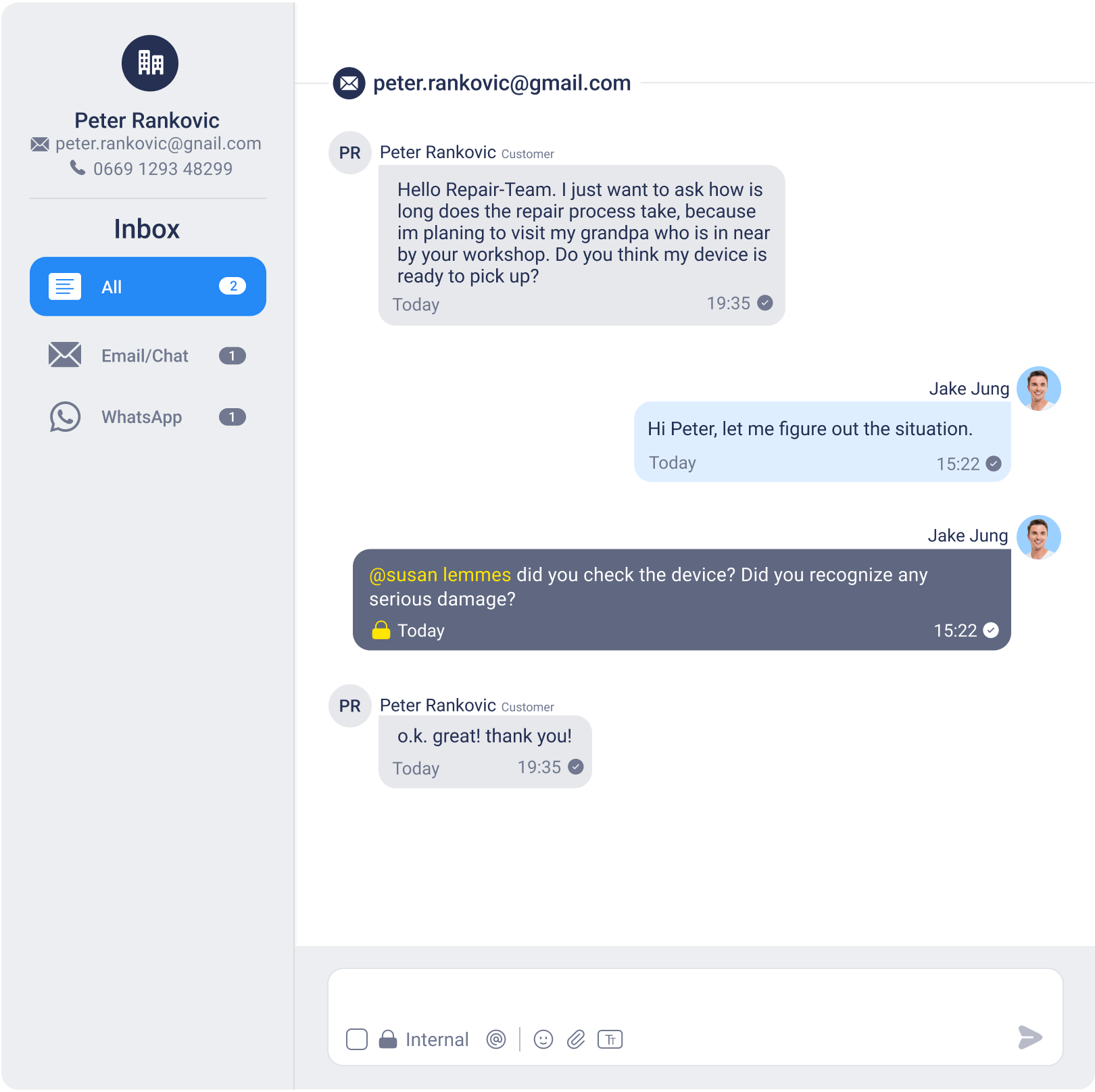
Communication creates clarity: the all-in-one service hub
The RepairCMS customer platform: customers send messages to the service team and see transparent details about their service job.

Central communication
Keep every interaction for each job in view. One inbox for clear communication across the board.
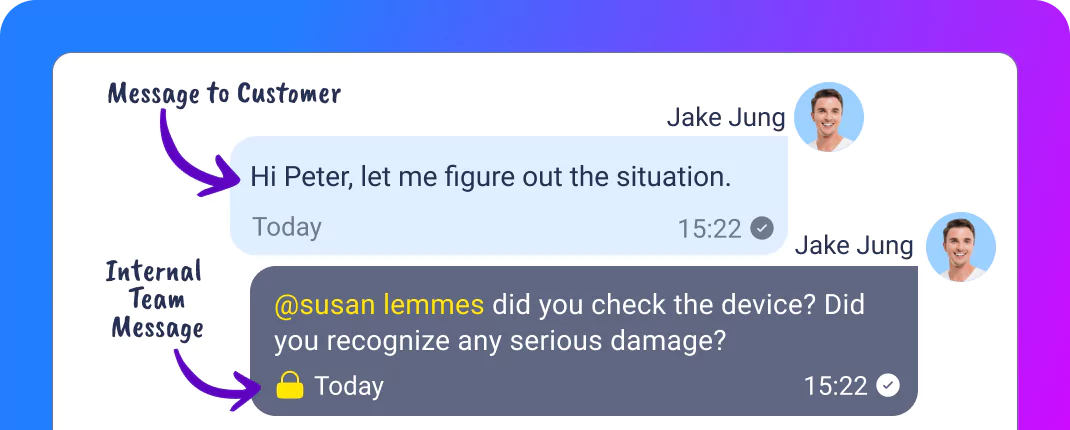
Teamwork is the key to success
With built-in internal messaging, teams can discuss work progress, share updates and solve issues across departments. All from a single platform.
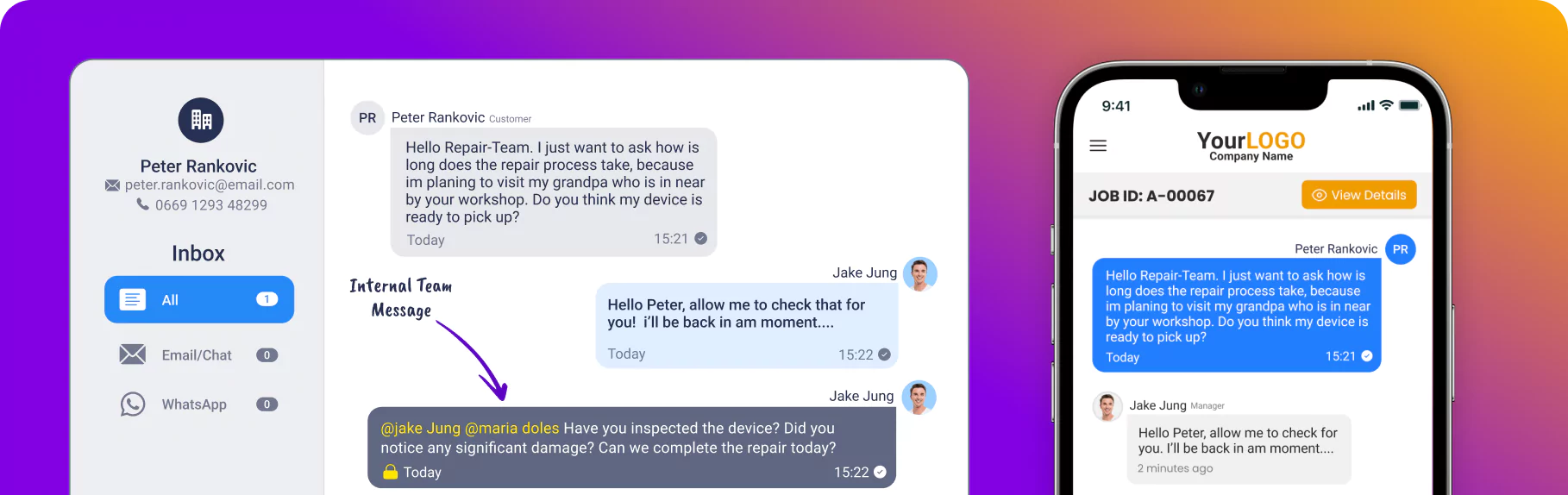
Keep a full view of the service history
Get a complete view of every customer's service case. With information available centrally, you deliver personal service, make well-informed decisions and keep your operations efficient.
Structured repair handling through ticket assignment
Every repair takes care and skill. With RepairCMS you assign tasks based on the expertise of your team members.
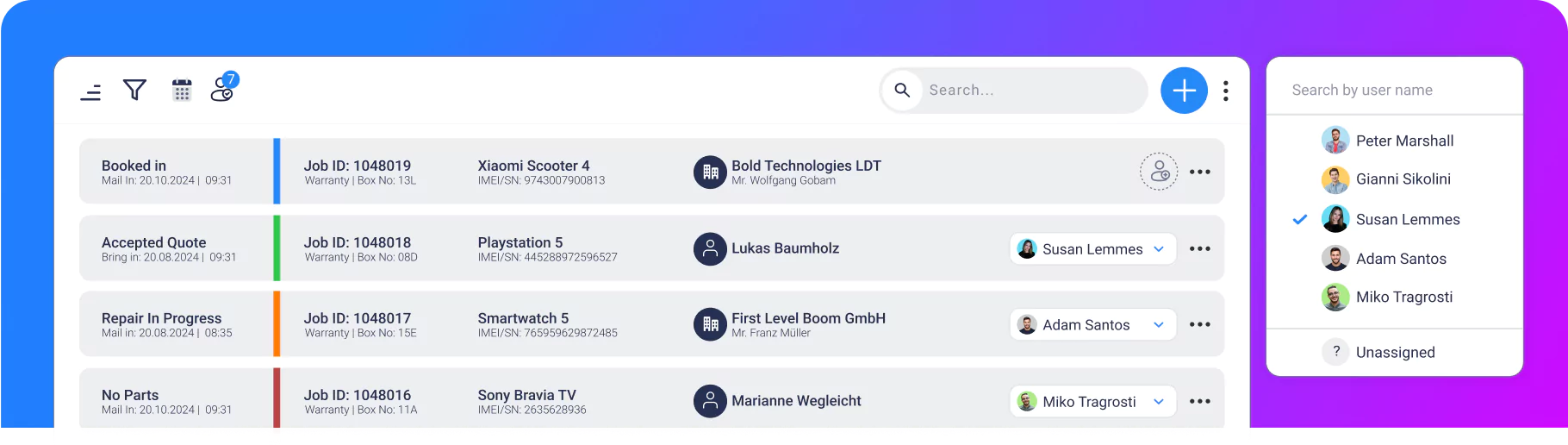
Assign each repair job to the right team member
So the best-qualified technician always handles the repair job. With RepairCMS you assign tickets to the right team members on purpose.
Repair tracking | customer portal
Repair tracking: your customer portal with real-time status
Give your customers all the important information in the service hub portal: real-time updates on the service status, documents and photos of the damage.
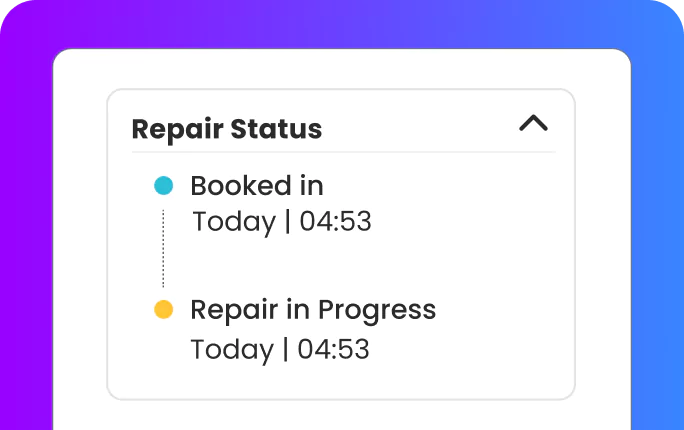
Real-time repair tracking and customer portal
Keep your customers informed with status notifications
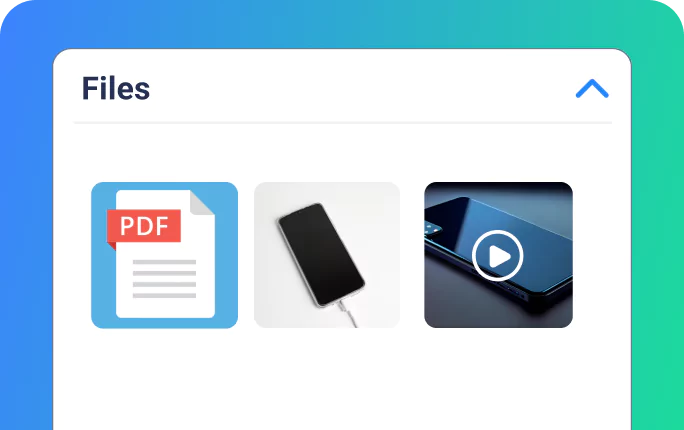
Documents, photos and videos
Share photos of the damage, videos and diagnostic reports with your customers.
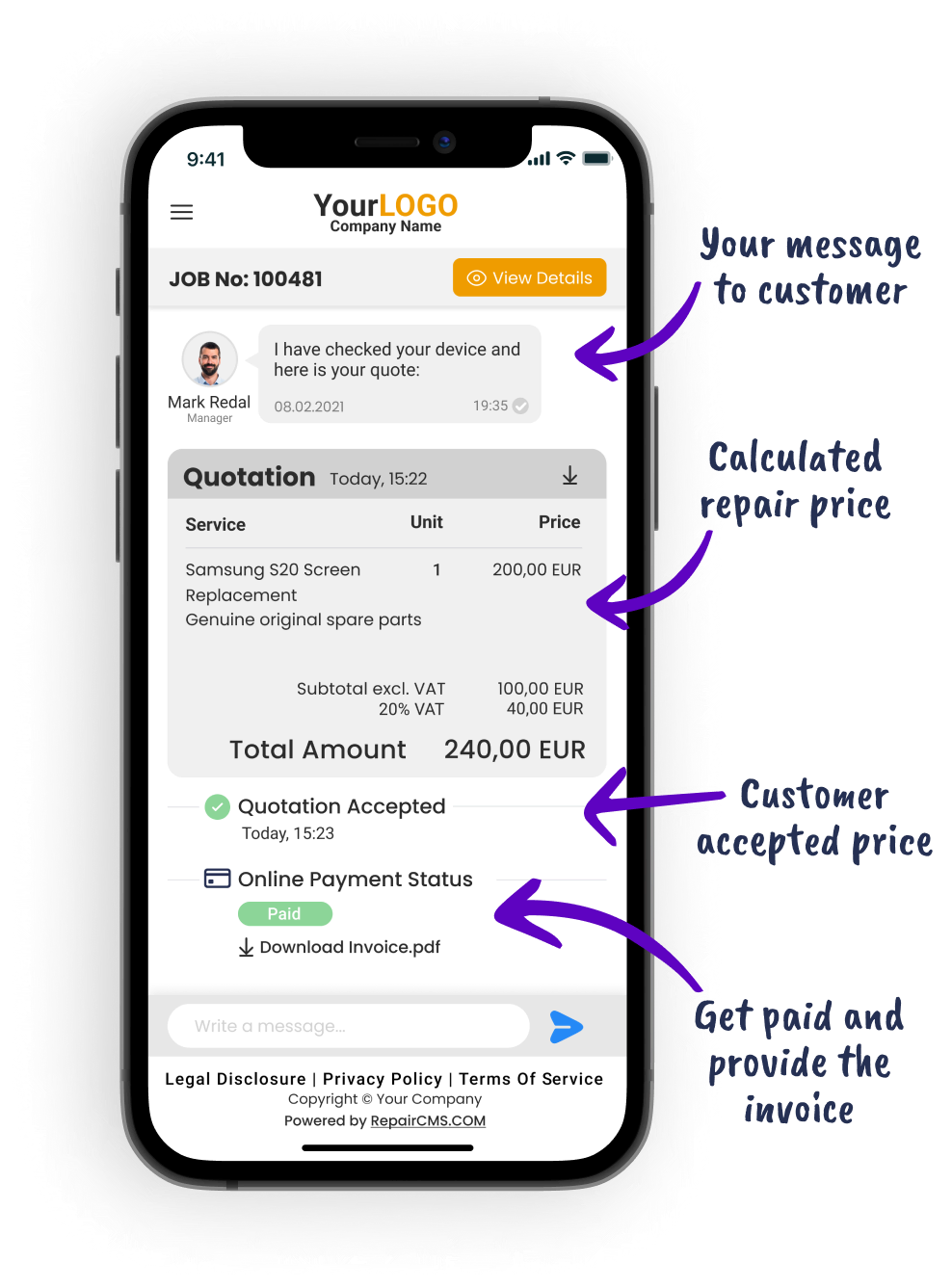
Cost estimate
Quote, invoice and payment, automated inside the service hub
Ultimate FastPAY
Get paid faster with Ultimate FastPAY
What makes RepairCMS the better choice?
Keep all repair-related communication in one place. Every ticket is the hub for the service flow from start to finish and brings customer and team communication together.
Assign tasks
Assign service tickets to your service staff.
Strong teamwork
Use internal comments to keep team members on the same page.
Customer support that wins customers over
Repair tracking improves transparency and lifts customer satisfaction.
What repair shops say about RepairCMS
5.0 GetApp ★★★★★ 5.0 Software Advice ★★★★★ 5.0 Capterra ★★★★★We chose this company's POS system and inventory system to run our phone repair business more efficiently, and we are absolutely thrilled! The systems are not only technically state of the art, they are also extremely user-friendly. What convinced us most was being able to manage repair jobs, stock levels and sales processes seamlessly. That saves us a lot of time and reduces errors considerably. The features are perfectly tailored to the needs of our industry. A big compliment to the support team as well: competent, fast and always friendly, service really matters here. If you are looking for a reliable and modern POS and inventory system for the phone repair industry, you are definitely in the right place. Absolutely recommended!
Verified review · GetApp RepairCMS Ultimate for managing watch repairs. RepairCMS is a new repair management software, among others for watchmaking workshops. There are some interesting features and many ideas are still in the pipeline. The time savings, especially with cost estimates and communication, absolutely justify the price. By the way, I get nothing for the recommendation, but the other providers could not convince me and in some cases had absurd setup costs and packages, whereas here everything is quite straightforward and clear.
Verified review · Capterra “RepairCMS impressed me incredibly! I searched for a very long time for a usable management program made specifically for mobile workshops and worked my way through various demos until I finally found the right one.”
Verified review · Software Advice Automated workflow. Everything runs automatically and you save at least one employee who would otherwise always have to contact the customers. The highlight is the cost estimate feature, where the customer can accept or decline the estimate via a link, and the estimate comes attached as a PDF, which is very professional.
Verified review · GetApp “Since we started using RepairCMS, work has become incredibly easier for us. From repair intake through inventory management to automatic customer notifications. I can hardly imagine life without this system anymore.”
Verified review · Capterra Frequently asked questions about teamwork and repair tracking
The short answers: customer portal, team communication and plans.
Ready to optimize your repair workflow?
Take your team management to the next level with RepairCMS Ultimate.
