Repair management software for workshops and manufacturersYou run your repair business. RepairCMS connects the work behind it.

Online booking, web app, mobile app and customer portal work hand in hand.

RepairCMS puts customer details straight into the repair job and uses the services and spare parts you record for the quote and the invoice. Your team keeps working on the same job.

Free for 14 days. No payment details needed.

These businesses use RepairCMS to organize their repairs every day

ACR Bielefeld
EGN Forensic
Batteriservice Danmark
iExperts
aksys IT-Systemhaus
Dittrich Nähmaschinen
Martin Elektrotechnik GmbH
Beamer Reparatur Zentrum
Spresso Kaffeemaschinen-Werkstatt
PhoneExperts
MCI Handyklinik
Handyklinik Meppen

How a job runs

A booking becomes a job. Your team takes it from there.

From the online request to teamwork on the job, this is how your website, the web app and the smartphone work together.

Your customer books online.

Your customer picks the service on your website and sends their details.

You accept the request.

The details arrive in RepairCMS. You convert the request into a repair job.

Drawing from the explainer video: Heinz brings the red coffee machine to Helga, who is looking at her screen
RepairCMS in the browser

Your team gets to work.

Your team takes a photo of the damage on their phone, highlights it and saves the photo to the repair job.

Drawing from the explainer video: in the workshop, Wladimir points at the leaking pump of the opened red coffee machine, with a screen next to it
RepairCMS App

When a customer drops off their device in person, you create the repair job with the device, customer details and fault in under 60 seconds.

Recordings from our demo, as in the video above. The business and customer data are fictional.

RepairCMS App for iPhone and Android

Intake, repair work and communication. Right on the job.

Your team checks in devices and documents the repair right on their smartphone.

Job intake in the RepairCMS App: device details with brand, model and an IMEI to scan RepairCMS App on an iPhone: home screen with 272 active jobs by status and an overview of what's waiting today

Scan

Capture the serial number or IMEI with the camera.

Photograph

Record the condition and accessories, and black out PINs and names.

Sign

Your customer signs on the screen at intake and at handover.

Notify

Change the status, and your customer hears from you by email or SMS.

Assign jobs to your team. The assigned employees get a notification on their phone.

Plus inventory, invoicing and printing, over 100 features in one app.

The app is included in every plan. In both stores it’s called “RepairCMS Repair Shop Manager”.

RepairCMS Status for your customers

Your customers know what happens next.

Track the status, approve quotes and pay online. That gives your customers clarity and cuts down on questions to your team.

RepairCMS Status on an iPhone: the customer's jobs with the status of each device, at the top a MacBook with a quote sent and a new message from the workshop RepairCMS Status on an iPhone: quote for the same MacBook with optional items, agreement to the terms and conditions, and the Accept button with the amount to pay

Track the status themselves

Customers see how far along their repair is.

Approve the quote online

Review the quote, choose optional items and approve it right away.
Get paid sooner

Once the quote is approved, the customer can pay online right away.

Communicate right in the repair job

Messages, questions and important information stay on record with the job.

In both stores it's called “Repair Status by RepairCMS”.

Torsten König at his workstation at PC & Notebook Werkstatt Berlin

“RepairCMS has taken the organization of our workshop to a whole new level! Jobs can be assigned to the right employees in just a few clicks.”

Torsten KönigOwner, PC & Notebook Werkstatt Berlin · Review on Software Advice, translated from German
Ultimate Repair Form Builder New

Your customers book on their own. You design how they get there.

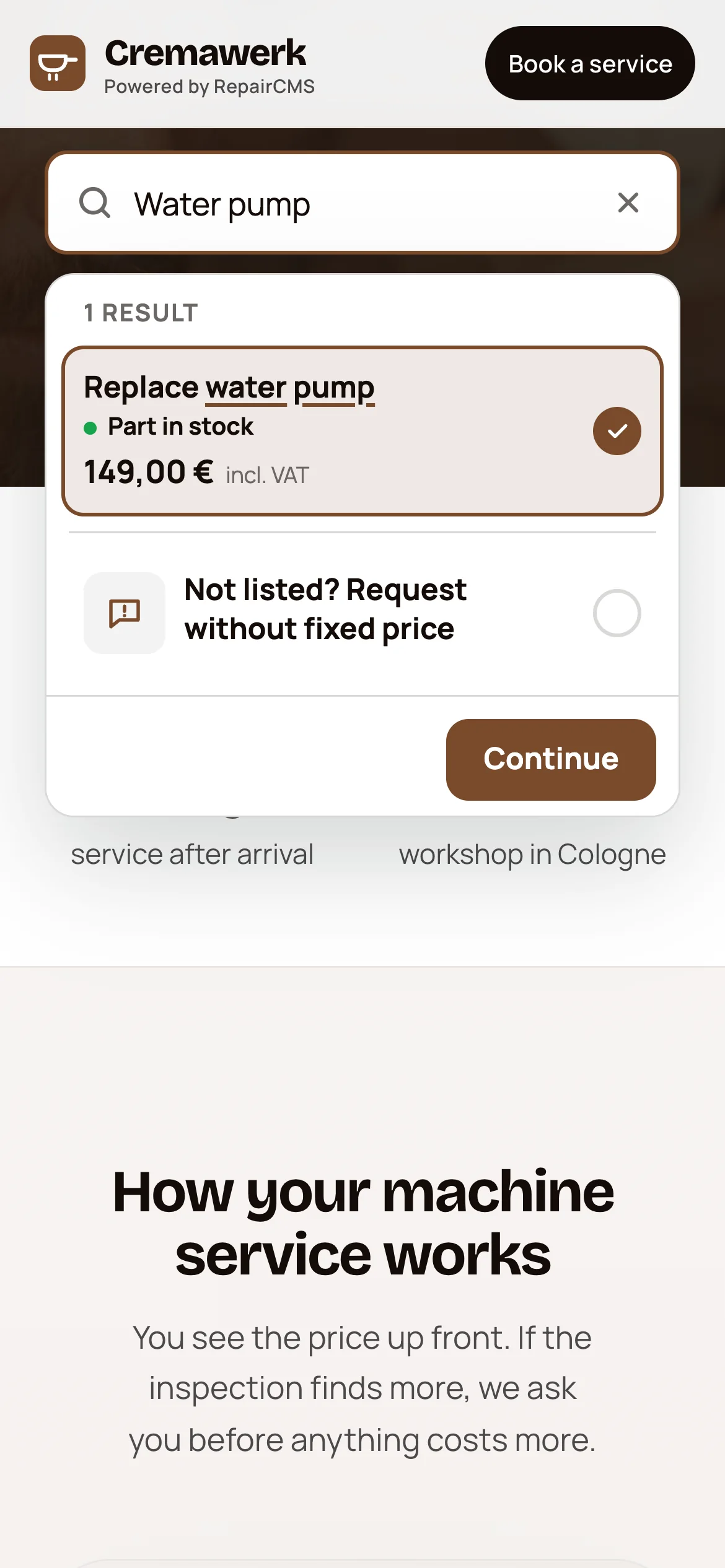
Repair forms for your website, social media and on-site check-in. Your customer picks a service, sees the price and books straight into RepairCMS.

Customize the logo and fields yourself
Pull prices straight from RepairCMS
Repair form of the demo business Platinenwerk: choose a MacBook service, see the price and availability, and book with Continue

Example from the demo. The workshop, prices and data are fictional.

Features

Inventory and invoicing

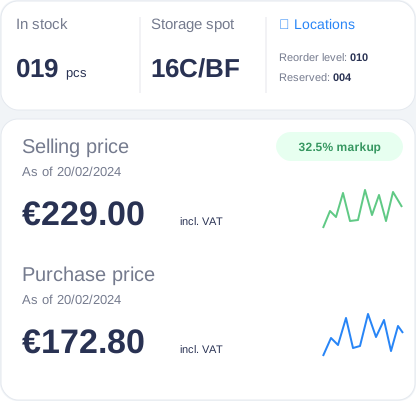
Reconstructed sample inventory view: items with stock level, storage location, reorder point, reserved quantity and prices

Sample view based on a design draft.

Inventory and items

Stock and the spare parts you need at a glance

You manage stock, storage locations and prices in one place. You see which quantities are reserved and when the reorder point is reached.

More about inventory management

Invoice and payment

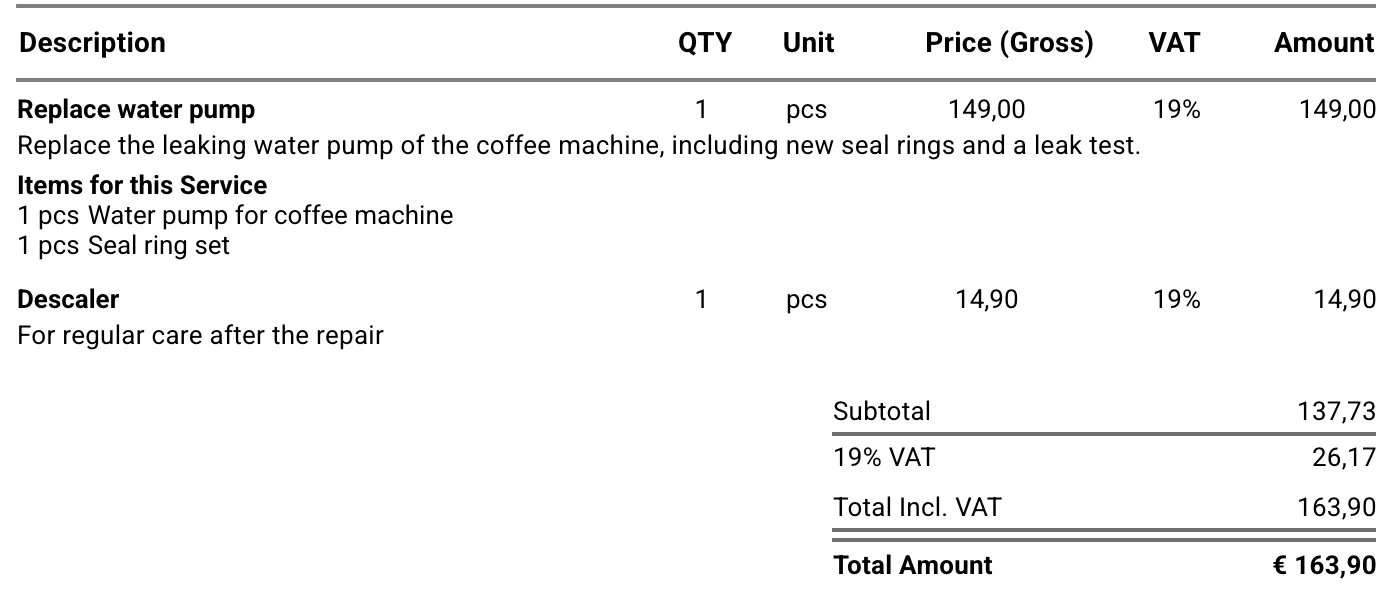
Turn recorded work straight into an invoice

RepairCMS carries the items from the quote and the service report over to the invoice. Your customer pays online through Ultimate FastPAY or by SEPA bank transfer with the QR code. You can also create the invoice as an e-invoice in line with ZUGFeRD and EN 16931.

More about invoicing software

Everything in one system, from intake to the paid invoice.

Free for 14 days, no payment details needed.

Try for free

Industries

For workshops. For manufacturers too.

Manufacturers

From warranty claim to service job.

Record RMA and warranty cases with serial number, purchase date, original invoice number and photos. Each claim becomes a repair job for your service team.

See RepairCMS for manufacturers

Integrations

Connected to the tools you already use.

Accounting, shipping, online payment and SMS, connected directly.

Accounting

Lexware

Lexware Office

Your RepairCMS invoices are sent automatically to Lexware Office, the German accounting software.

With your Lexware Office account

More about the integration

Shipping

DHL shipping integration

DHL Shipping

Shipping labels straight from the job, with the Repair Logistics add-on. Postage is billed through your DHL Parcel Germany business account.

Repair Logistics add-on

More about the integration

Online payment

Ultimate FastPAY, powered by Stripe

Ultimate FastPAY

Your customer pays invoices online, through Stripe. In your Stripe account, you choose which payment methods they see.

With your Stripe account

Customer communication

seven.io

SMS to your customers

For new jobs, status changes and completed repairs, through your own seven.io account. seven.io bills you directly for the SMS.

With your seven.io account

Privacy and reliability

Clear answers about your customer data.

All you need is a browser. No installation and no servers of your own.

Frankfurt

Where your data is stored

Your data is stored in a database in Frankfurt, Germany. The application runs on servers in the EU. The same in every plan.

GDPR

GDPR compliant

We process your data and your customers' data in line with the GDPR. You can read which data we process and why in our privacy policy. For the service providers involved, see the list of our subcontractors.

99.9%

Web app uptime

You can check the status of the web app at any time at status.repaircms.com in the “APP (ULTIMATE)” row.

Reviews

What workshops say about RepairCMS.

5.0

from 6 reviews

All six reviews appear on GetApp, Software Advice and Capterra at the same time. The three platforms belong to Gartner and show the same reviews. Reviews translated from German.

Verified review on Software Advice

“Game changer for repair management”

Everything runs automatically and you save at least one employee. With the quote function, customers confirm or decline via a link with PDF. In use for over 5 years.

Halil E.Electronics manufacturing · October 2024
Verified review on Software Advice

“For managing watch repairs”

Specialized for watchmakers, clear time savings on quotes and communication, straightforward setup.

Robin I.Watches and jewelry · October 2024
Verified review on Software Advice

“For the phone repair business”

Top quality and first-class service. Repair orders, inventory and sales managed seamlessly, with competent support.

Phonemaker K.Phone repair · November 2024

Questions

Frequently asked questions

What's included in the free trial?

You test RepairCMS free for 14 days with everything in the Team plan, no payment details needed. You can try online booking, quotes in the customer portal, inventory and teamwork, on your computer and in the app. After that, you choose a plan and keep working with the data from your trial.

Which plan suits my business, and how do I cancel?

That depends on how many people use it and which features you need. RepairCMS comes in the Starter, Business, Team and Enterprise plans, with annual billing from €29 a month excl. VAT. Everything you see on this page is included in the Team and Enterprise plans. You can add the Repair Logistics add-on for DHL to the Team plan, and it is included in the Enterprise plan. With monthly billing, you can cancel monthly. You'll find prices and features for each plan on the pricing page.

How much work does setup take?

You set up RepairCMS yourself in the browser, and a setup assistant guides you through the first steps. You upload contacts, items and services as a CSV file at no cost. If you'd like support, you can book a personal onboarding session. In 90 minutes, we set up your company profile, status workflows, email templates and first jobs with you and show your team how it works.

Can I bring my data from my old software?

Yes, if your old system can export the data, for example as a CSV or Excel file. Which data can be transferred depends on what that export contains. With the Onboarding Plus package with data migration, we handle the move for you and clean up and check the data along the way. If you'd rather start fresh, we turn your old data into a reference archive: a single file that opens in the browser, with full-text search across all jobs and line items.

Where is my data stored, and who processes it?

Your data is stored in a database in Frankfurt, Germany. The application runs on servers in the EU, the same in every plan. You can read which data we process and why in our privacy policy. For the service providers involved, see the list of our subcontractors.

See how RepairCMS works in your business.

Try RepairCMS yourself or talk through your workflow in a personal consultation.

Free for 14 days, no payment details needed.