
A point of sale for your repair shop, built into RepairCMS
The repair shop POS takes fiscally compliant payments straight from RepairCMS. Scan an order, take cash or card, print the receipt. With TSE for Germany and RKSV for Austria.
Coming soon. In a demo we show you the POS ahead of launch, and you can try RepairCMS today.
 ★★★★★
5.0 on Software Advice
★★★★★
5.0 on Software Advice
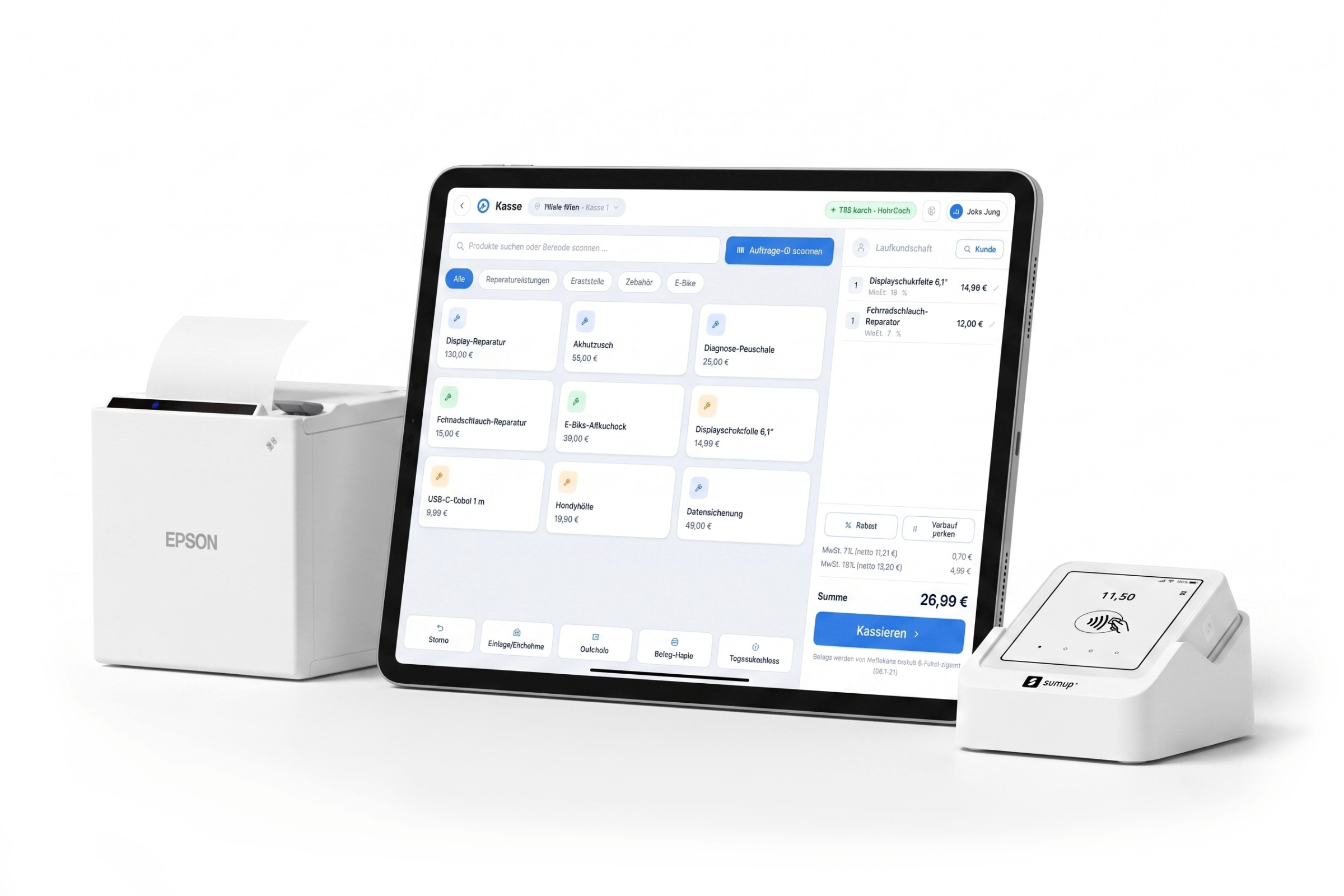
Coming soon, and worth the wait
The repair shop POS with HelloCash is coming soon, we are finishing the integration right now. On this page you can already preview the full POS workflow. Want to see it in detail first? Book a demo. The POS is planned for every RepairCMS plan, with no plan restriction.
01Why a POS inside RepairCMS
Your POS and your repair intake belong together
Two separate systems for repair orders and checkout cost you time and nerves every day. And taking fiscally compliant payments is not optional, it is required.
Two systems, one break
Repair order here, till there. You copy amounts by hand and lose time at the counter, time your customers should be getting.
Fiscal compliance is mandatory
Anyone taking electronic payments needs a technical security device. TSE in Germany, RKSV in Austria. Not a nice to have, it is required by law.
Printing receipts from the browser is a pain
Pushing receipts out through browser print never feels like a real till. You want a proper receipt and a real counter feel.
02The feature set
What the point of sale in RepairCMS does for you
A cloud POS with a local feel, straight from your repair management. The full checkout workflow, shown here as an overview and step by step further down.

Point of sale (HelloCash)
Take payment straight from your repair management. A cloud POS with a local feel instead of browser printing.
Planned for every RepairCMS plan, with no plan restriction. The connection is included in RepairCMS. For the integration you need a HelloCash Premium plan. Contract, fees and the statutory TSE fee are billed separately by HelloCash.
Fiscally compliant by the book
TSE for Germany, RKSV for Austria. HelloCash creates and signs your receipts.
One system instead of two
Take payment straight from the repair order, no second POS next to RepairCMS.
Cash and card at the counter
Card payments through the SumUp Solo terminal. Cash and card at the same counter, split if you want.
03The core workflow
Scan the repair order and take payment right away
No off the shelf till can do this. Your orders already live in RepairCMS, so the POS just pulls them in. And for a quick sale in between, your quick items sit right on the till screen.
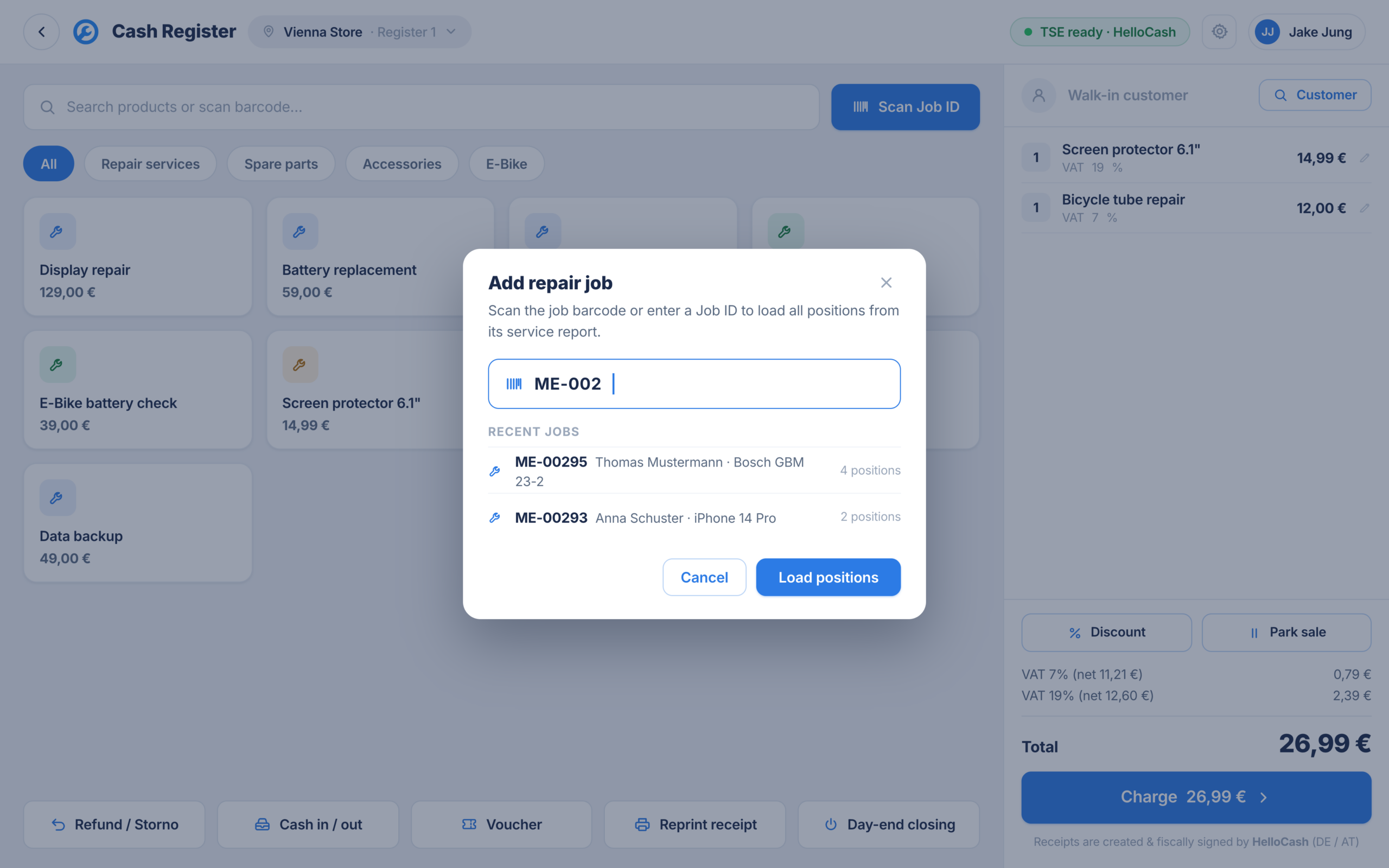
Scan or enter the order ID
Scan the barcode on the order slip or type the order ID. The POS finds the repair order right away, with no searching in a second program.
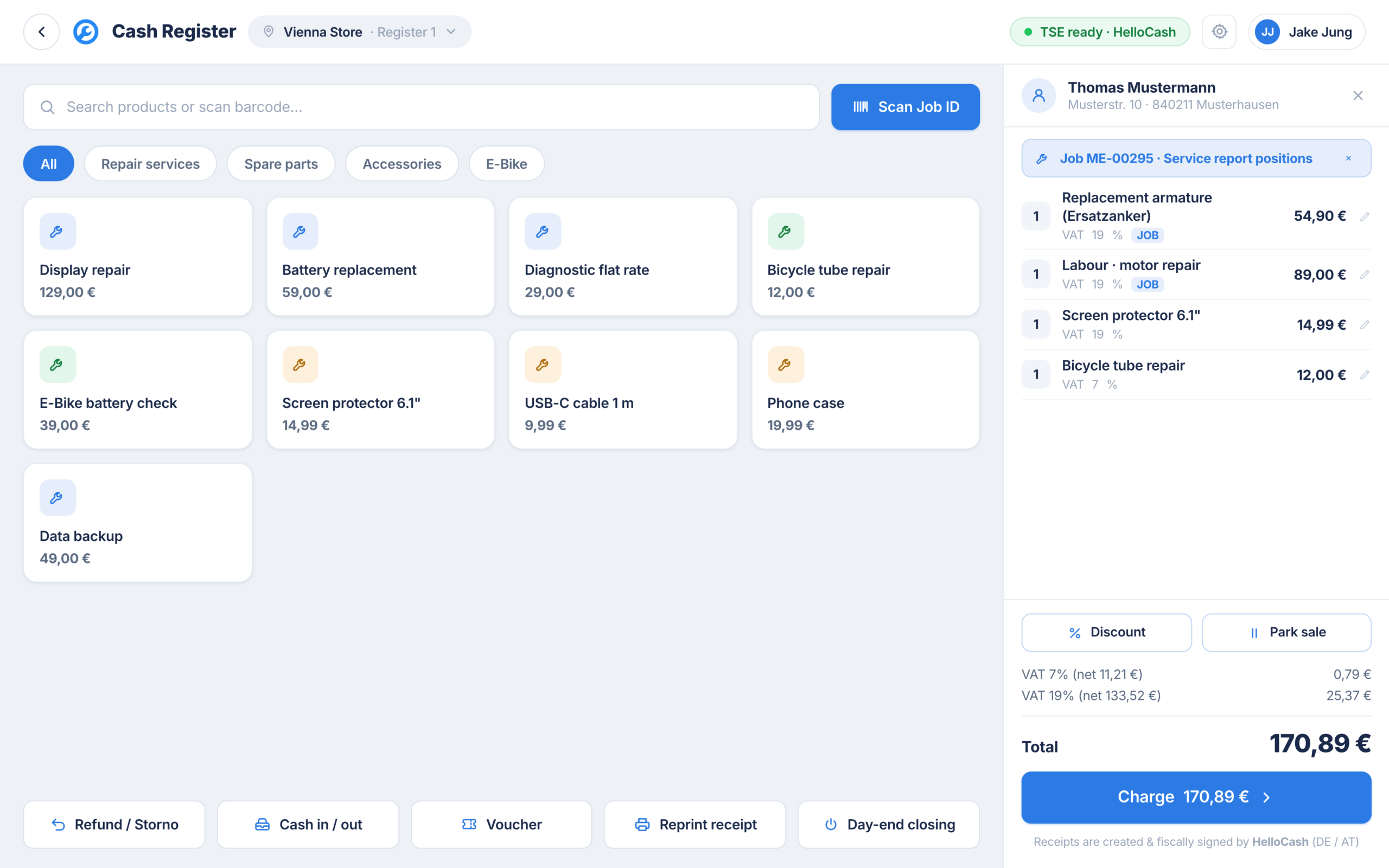
Line items land in the cart automatically
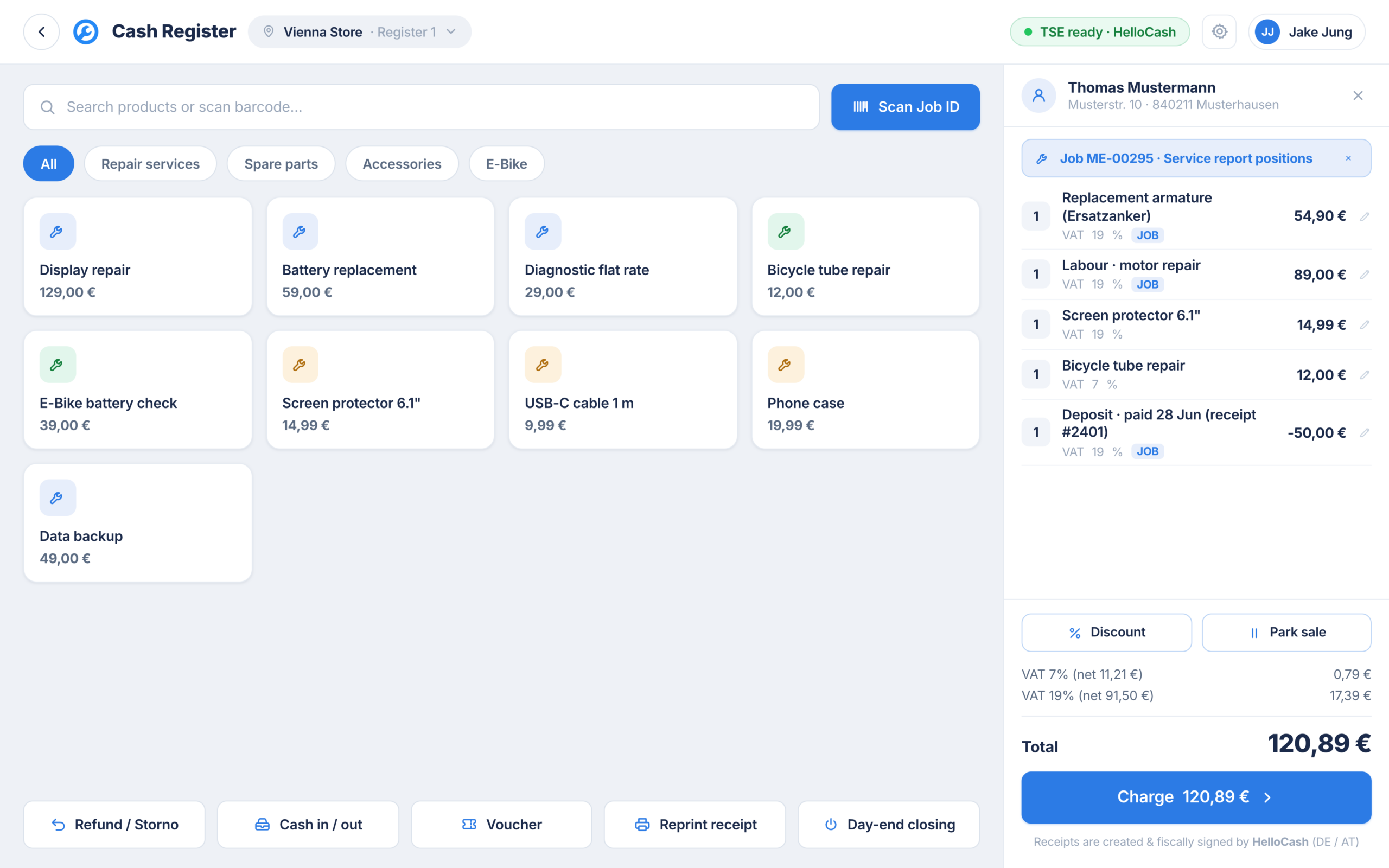
All billable line items from the order move into the cart automatically. The order stays visible as a chip and the customer is already assigned. No retyping, no transposed digits.
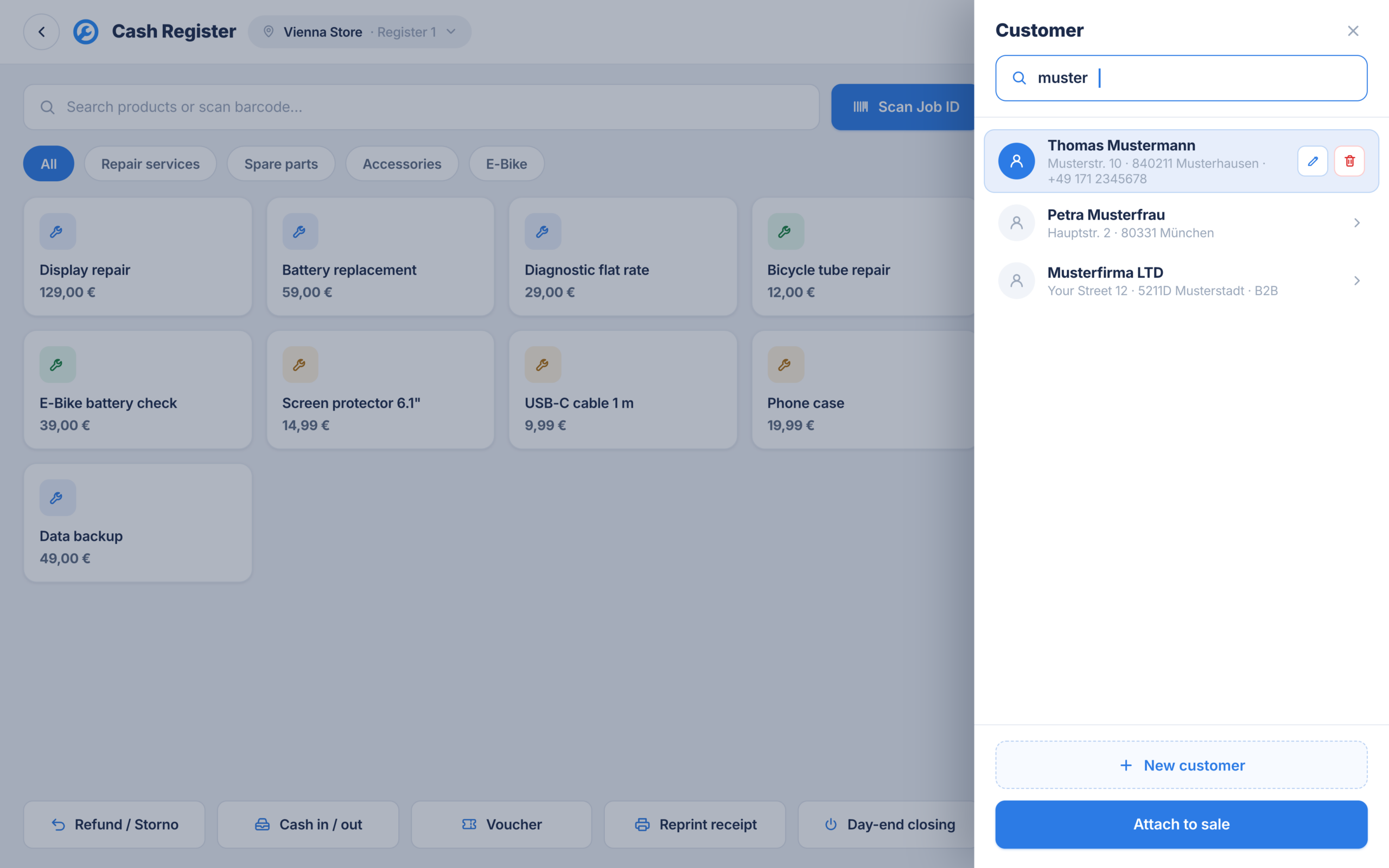
Assign a customer, even without an order
Walk in customer without a repair order? Search the customer in your RepairCMS customer file and link them to the checkout. Every sale lands in the right customer history.
04Cash, card or both
Take payment the way your customer wants to pay
Cash and card at the same counter, split if you want. Card payments run through the paired SumUp Solo terminal. A large payment screen with clear amounts and quick keys, made for the counter. Before payment you pick the cashier, so every transaction is cleanly assigned from the start.
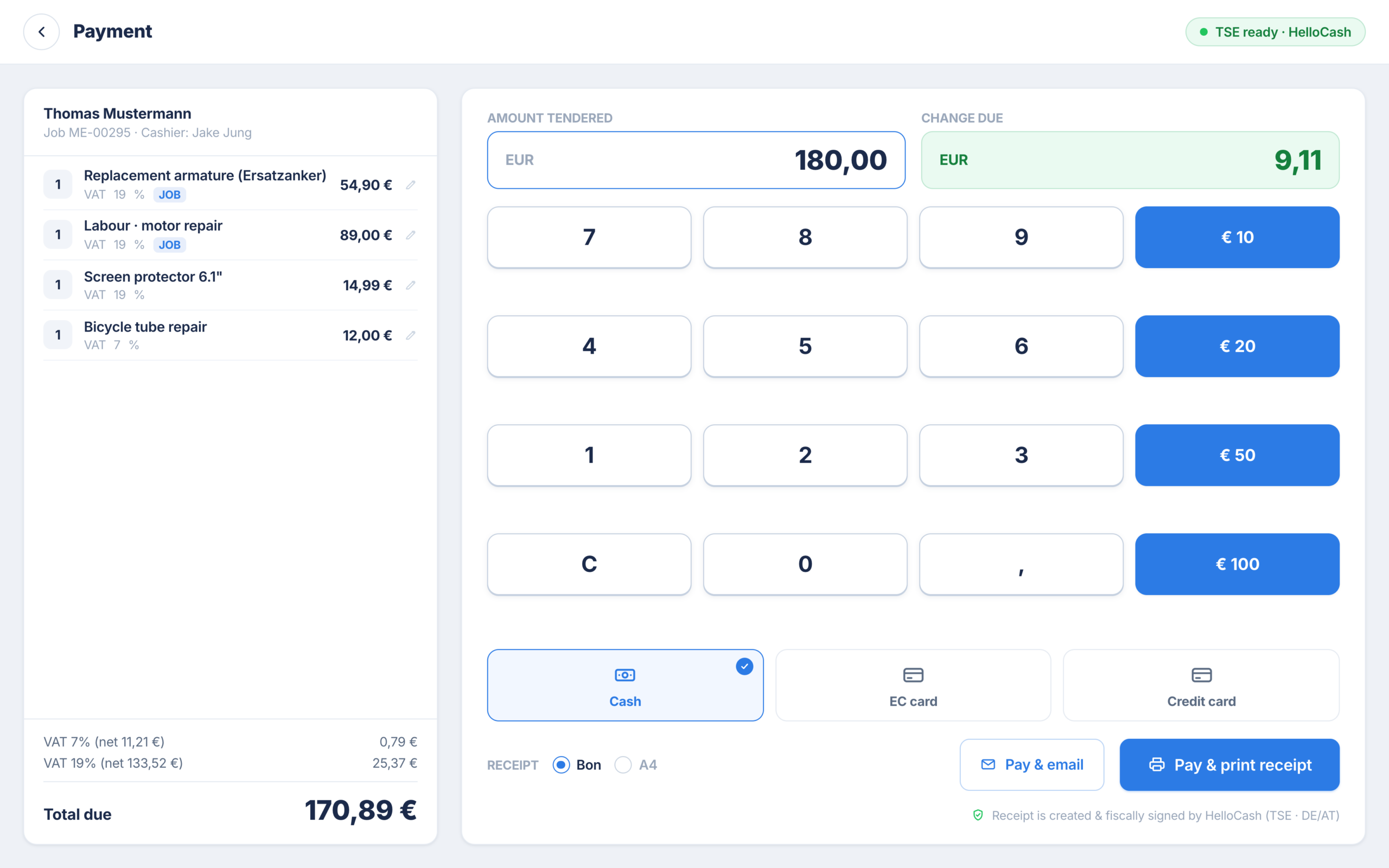
Full screen payment
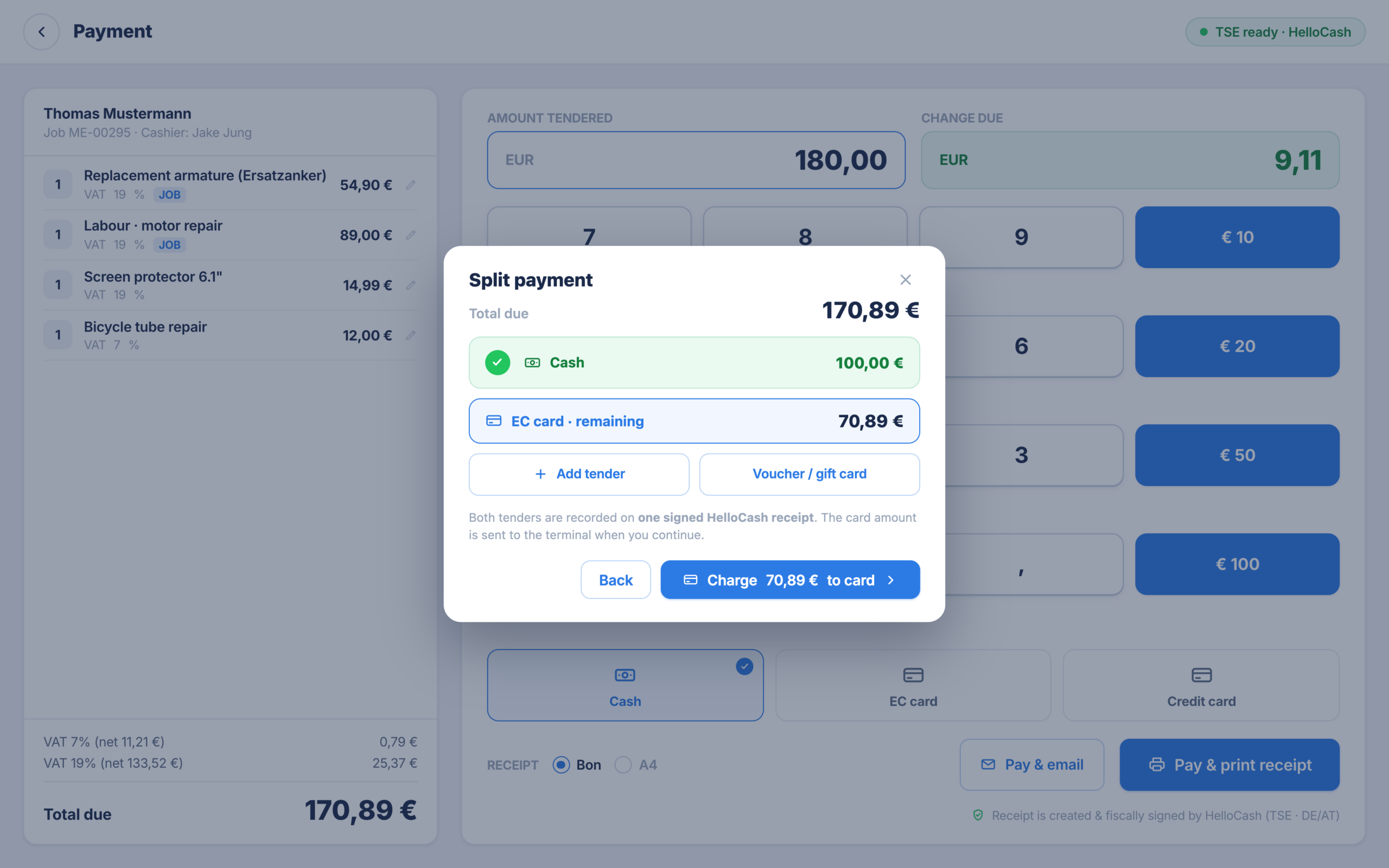
Split a payment
Part cash, the rest by card. The POS works out the remaining amount automatically, you just keep taking payment.
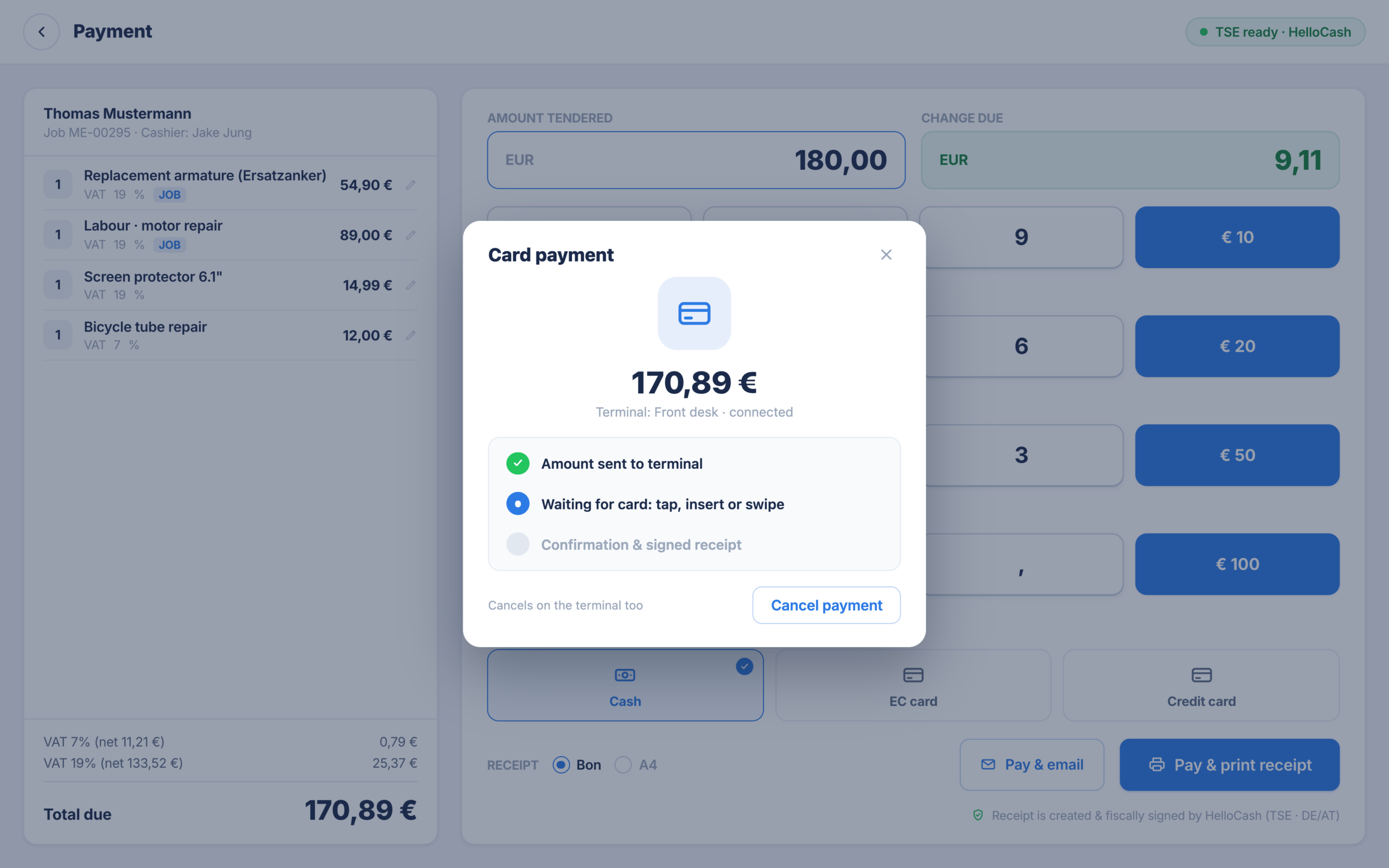
Card through the SumUp Solo terminal
The amount goes to the paired terminal. You see at the till when the terminal is waiting for the card, and you can cancel any time.
05Deposit, discount, park, void
The everyday counter work is already built in
The cases that really happen in a repair shop, a POS has to handle them without detours.
Record a deposit and deduct it at settlement
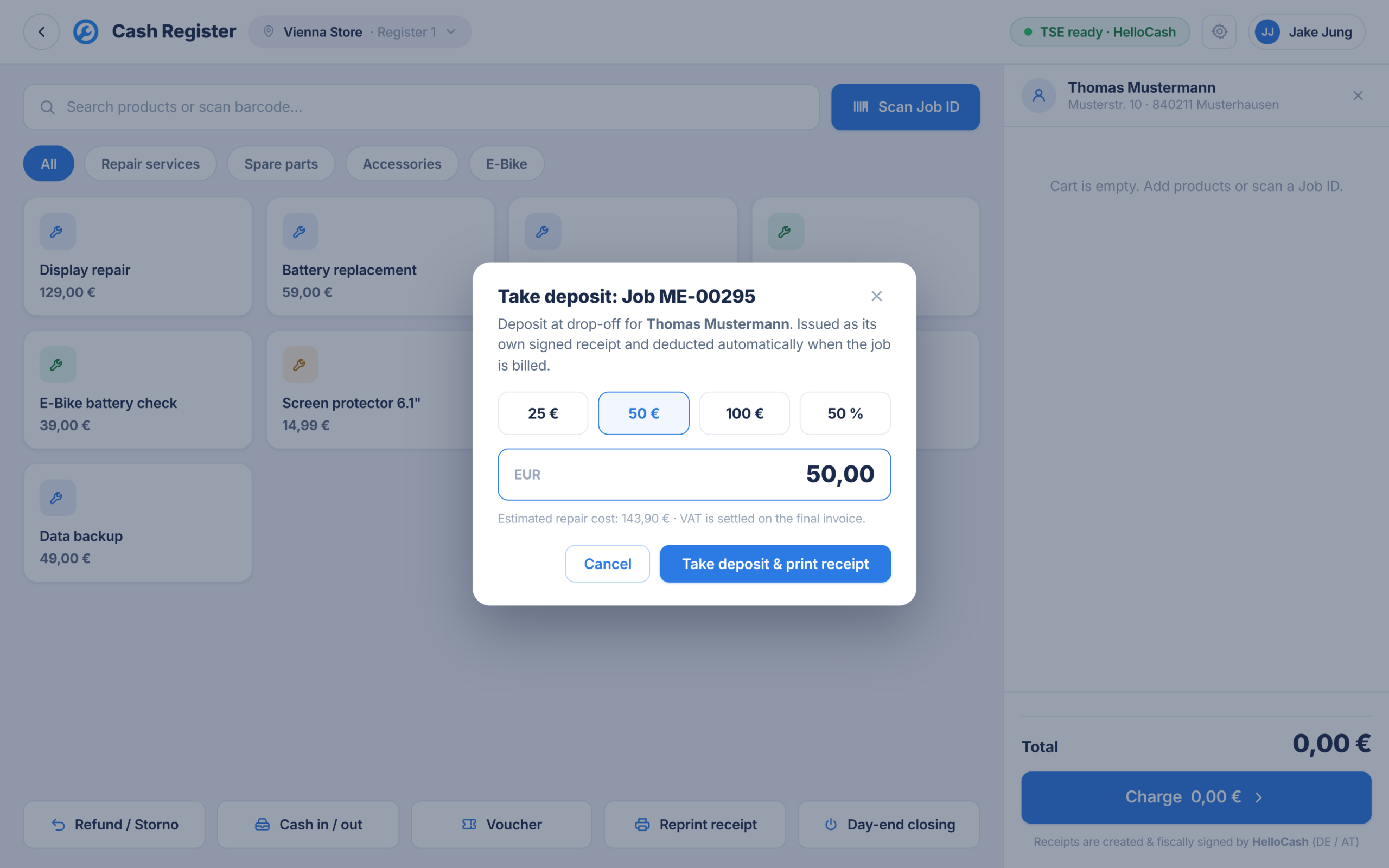
Customer pays a deposit at intake? Record it with quick amounts, linked to the repair order. At settlement the POS deducts the deposit in the cart. Nothing is lost, nothing is charged twice.
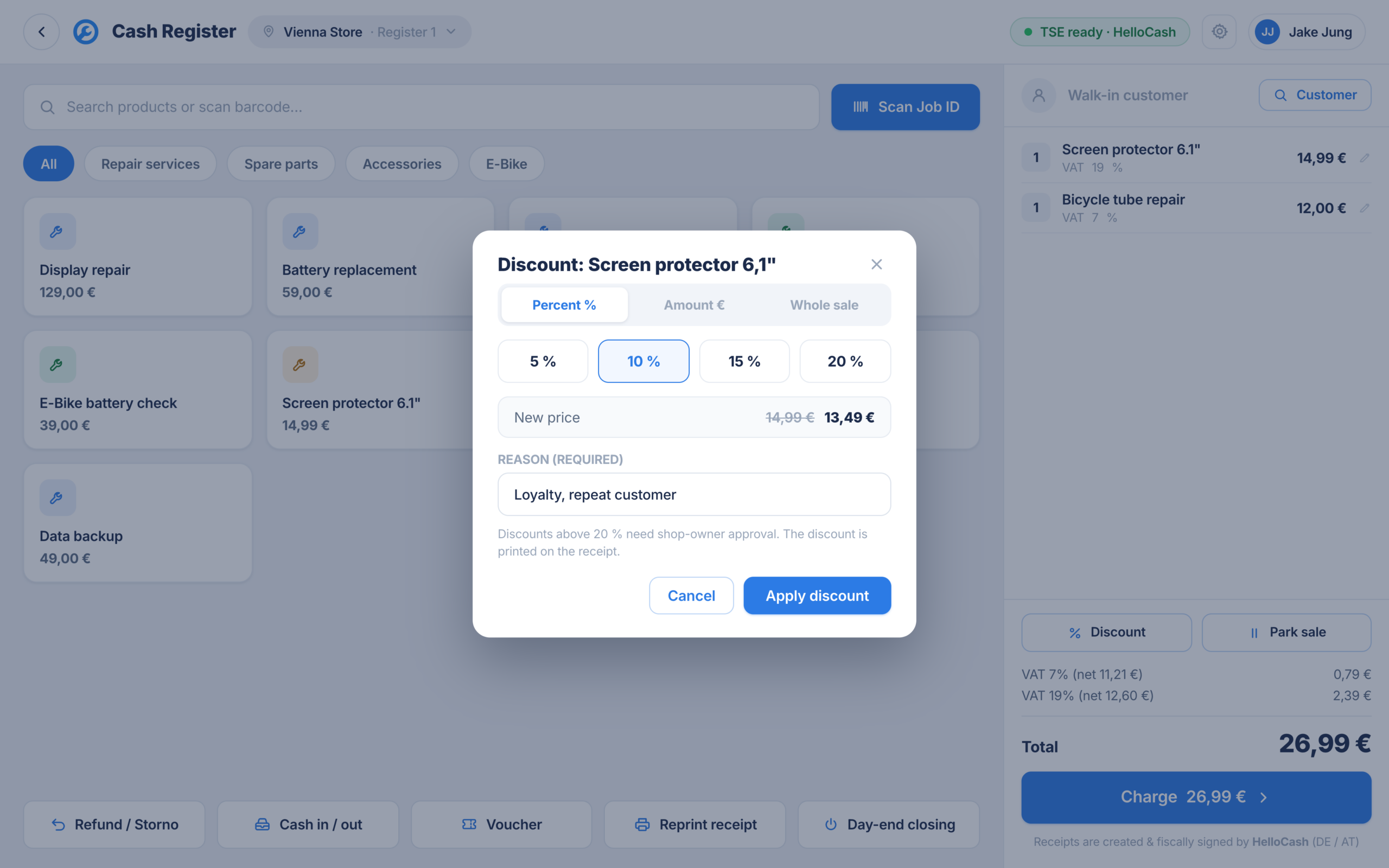
Discount with a reason
Discount on single line items or the total. The reason is mandatory and prints on the receipt. Above 20 percent it needs owner approval.
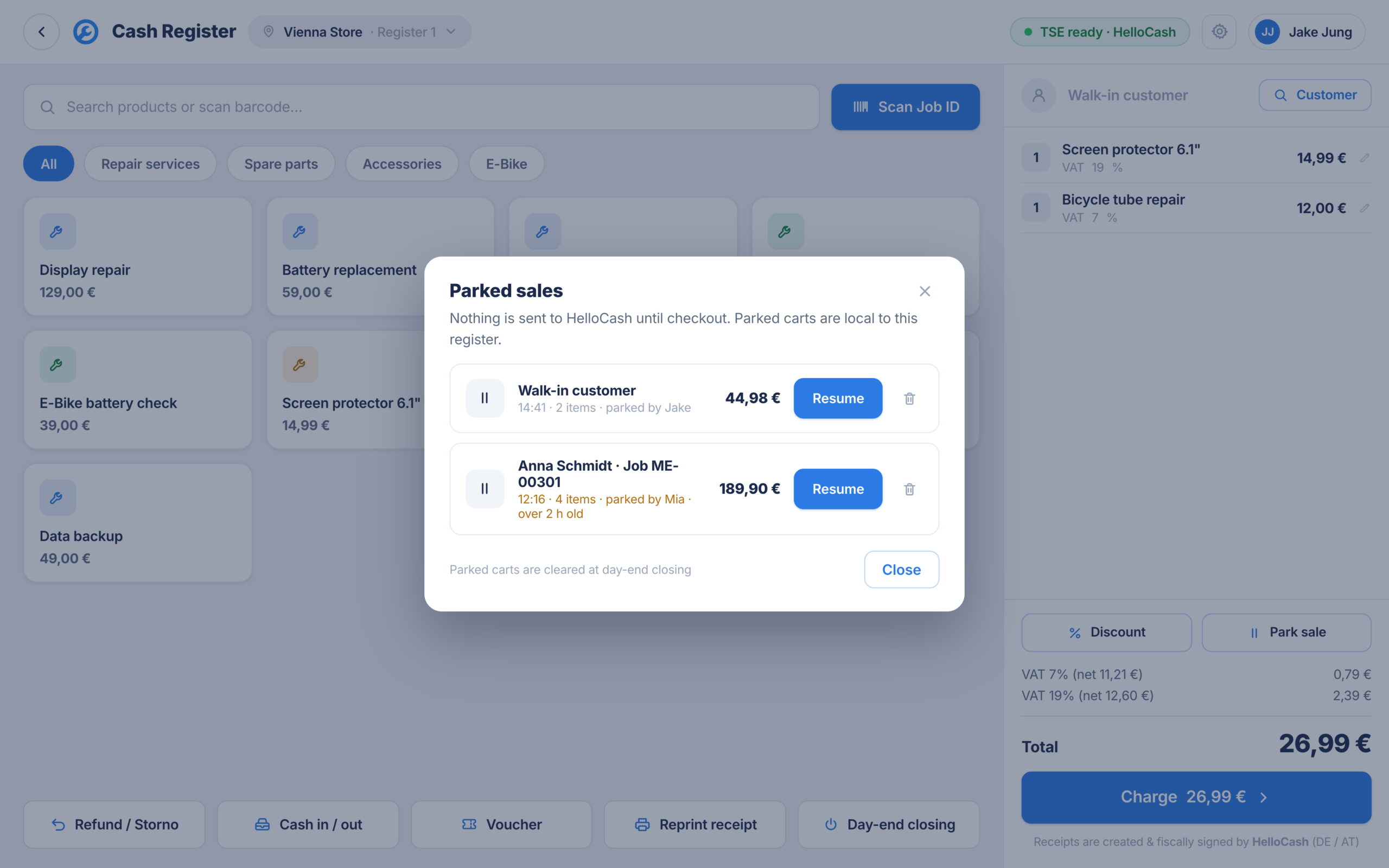
Park a sale
Customer left the card in the car? Park the sale, serve the next customer and pick the sale back up later.

Void with a reason and cashier
A sale can be voided in full, with a mandatory reason and the cashier who voids it. Documented cleanly instead of argued away.
06From receipt to cash count
Receipt out, till counted, done for the day
The work is not over after payment. Receipt, reprint and daily close are part of the checkout.
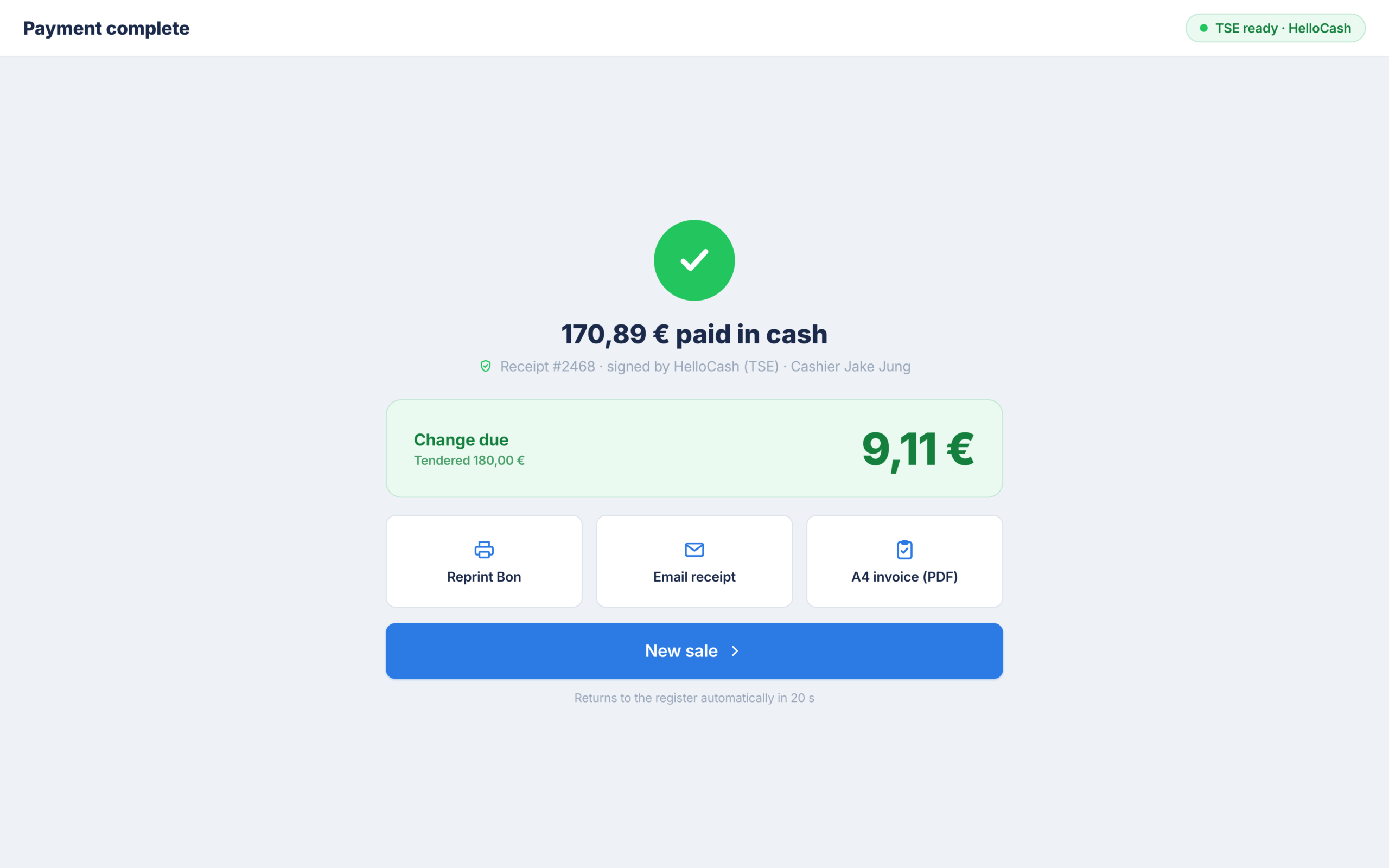
Payment successful, receipt out
Change due at a glance and the receipt actions right next to it. Print the receipt or send it by email, as a slip or A4.
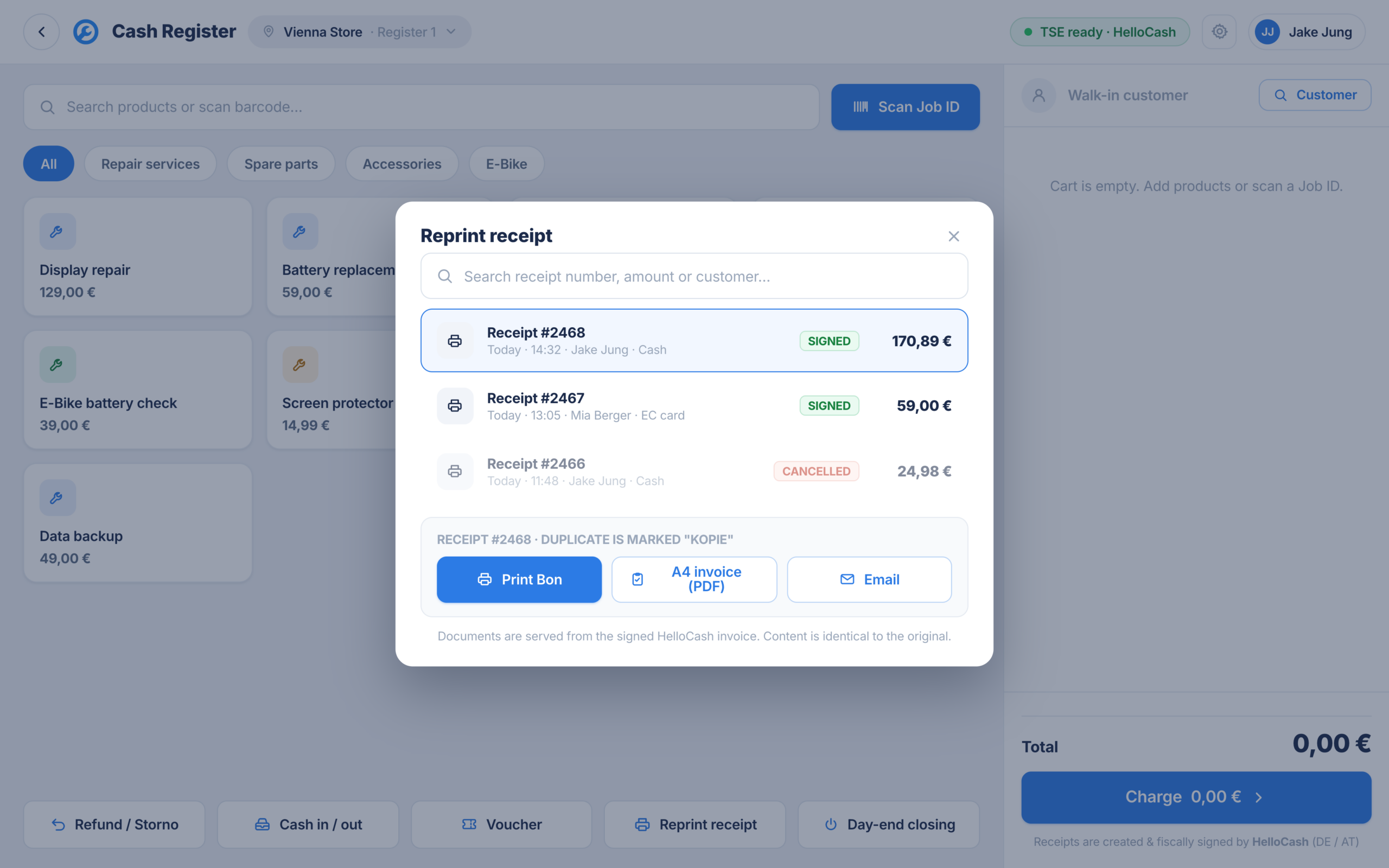
Reprint a receipt
Customer needs the receipt again? Find it by search or QR code and reprint it.
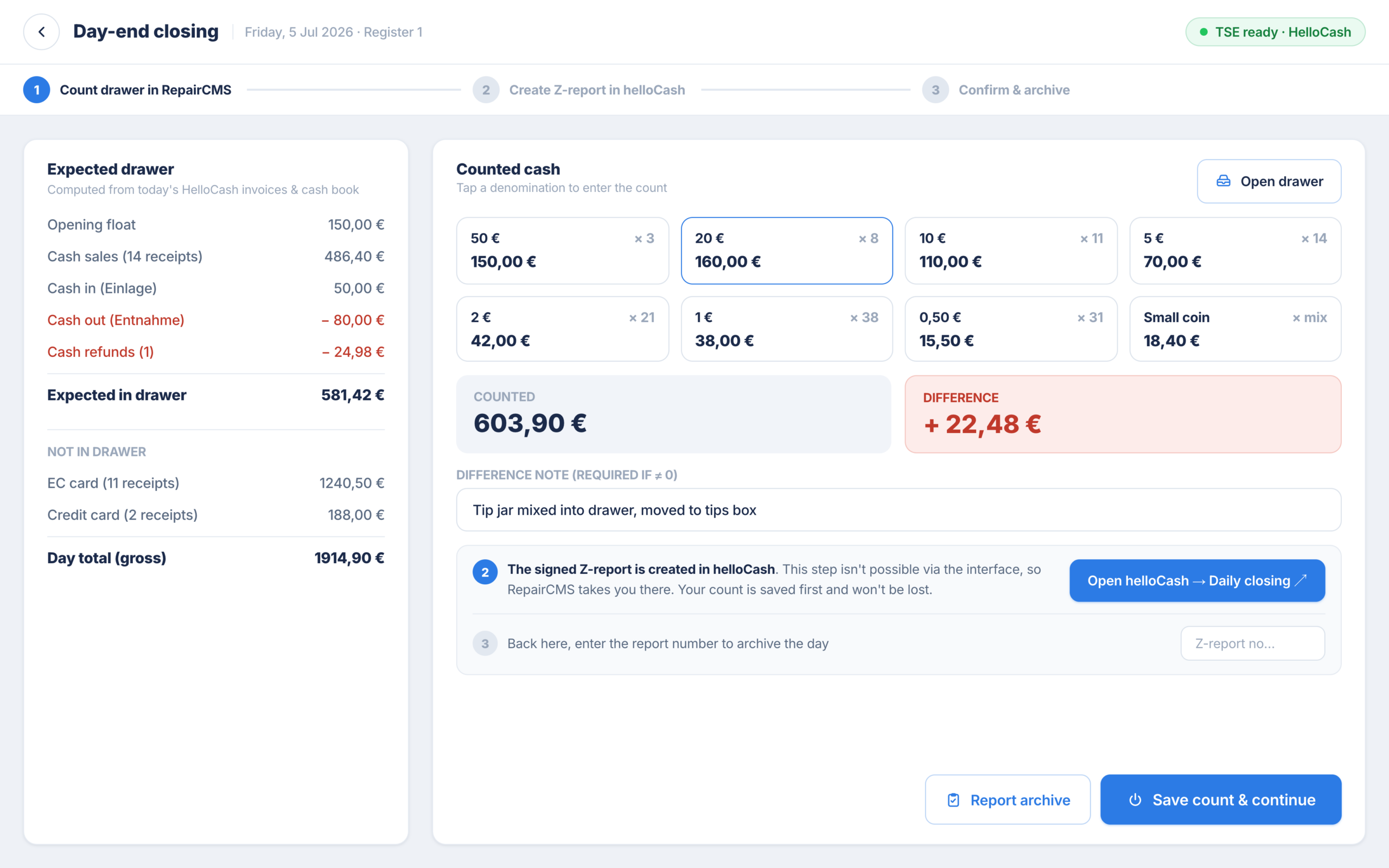
Daily close with counting and reconciliation
The POS shows you the expected balance, you count the real one, note by note and coin by coin. If there is a difference, a note is mandatory. You record pay ins and pay outs as cash movements right at the till.
You create the signed Z report in HelloCash. RepairCMS saves your count first, takes you straight there and archives the report number afterwards.
07Sell, redeem, manage
Gift cards, including the move from your old system
Full gift card management straight in the POS. And if you are coming from another system, you simply bring your old gift cards with you.
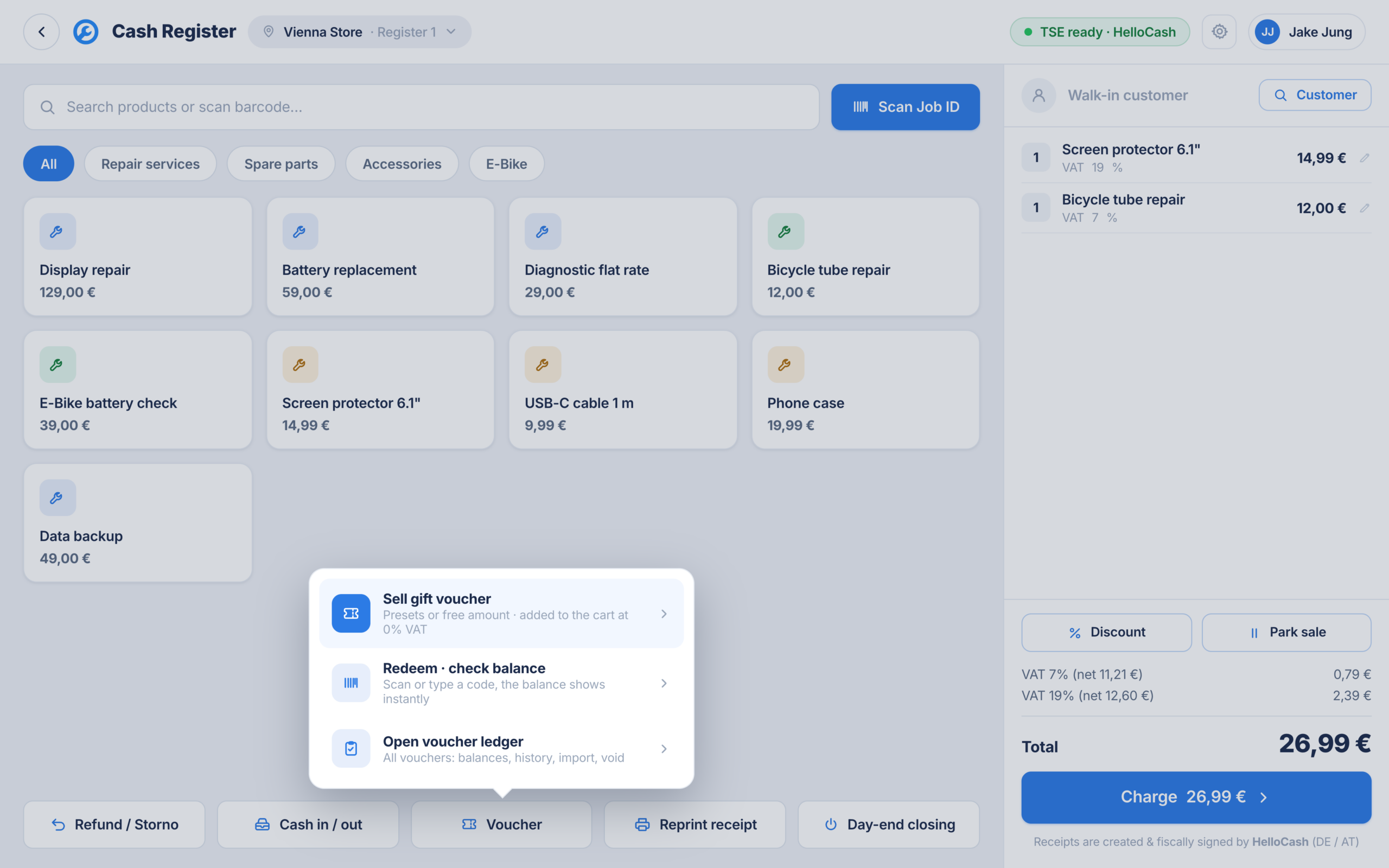
Everything in one place
Sell, redeem and manage straight from the till screen. In management you see the balance and history of every gift card and can void them.
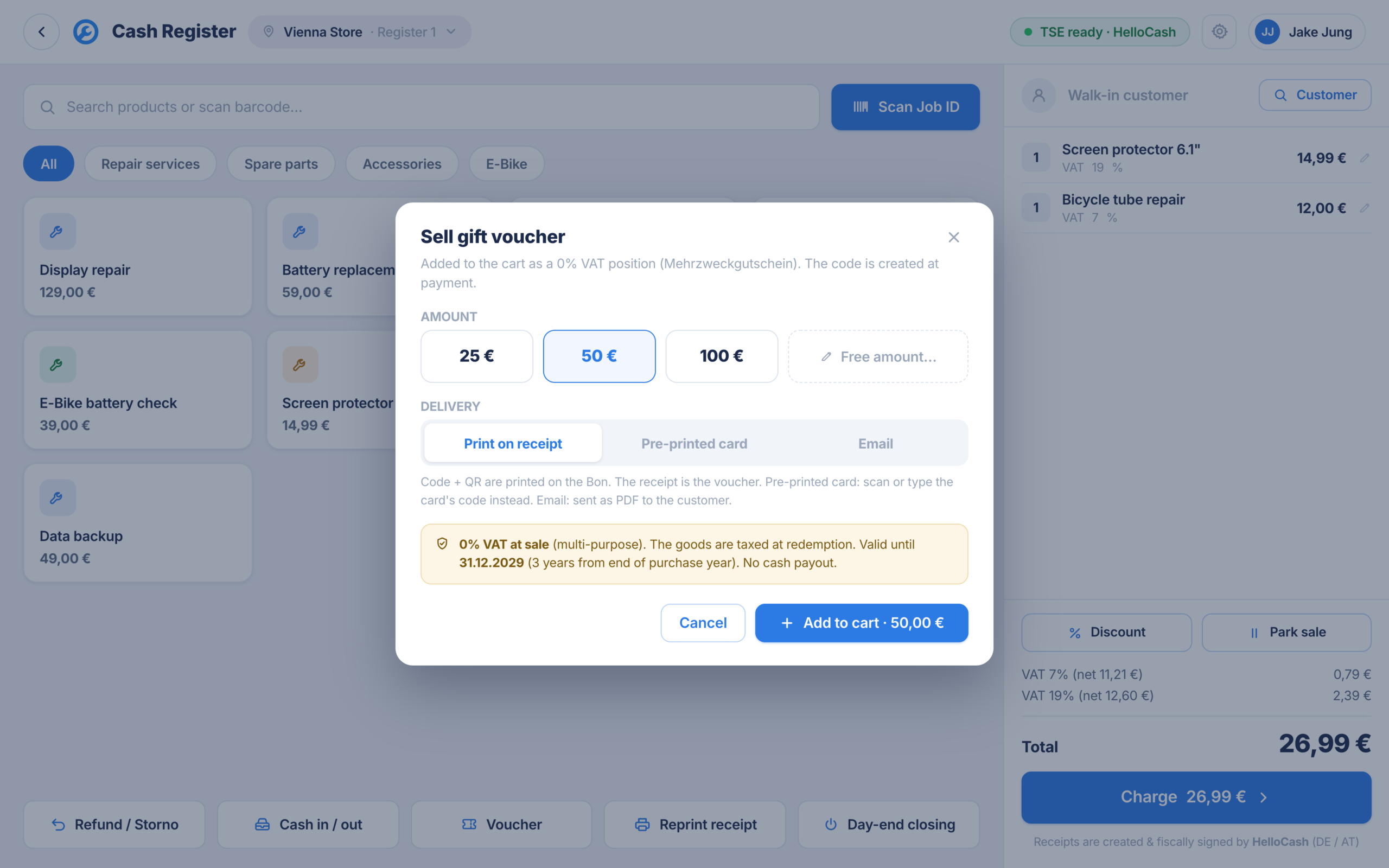
Sell and redeem
Preset amounts or a free amount, the gift card lands in the cart at 0 percent VAT. To redeem you scan the code and the balance shows right away.
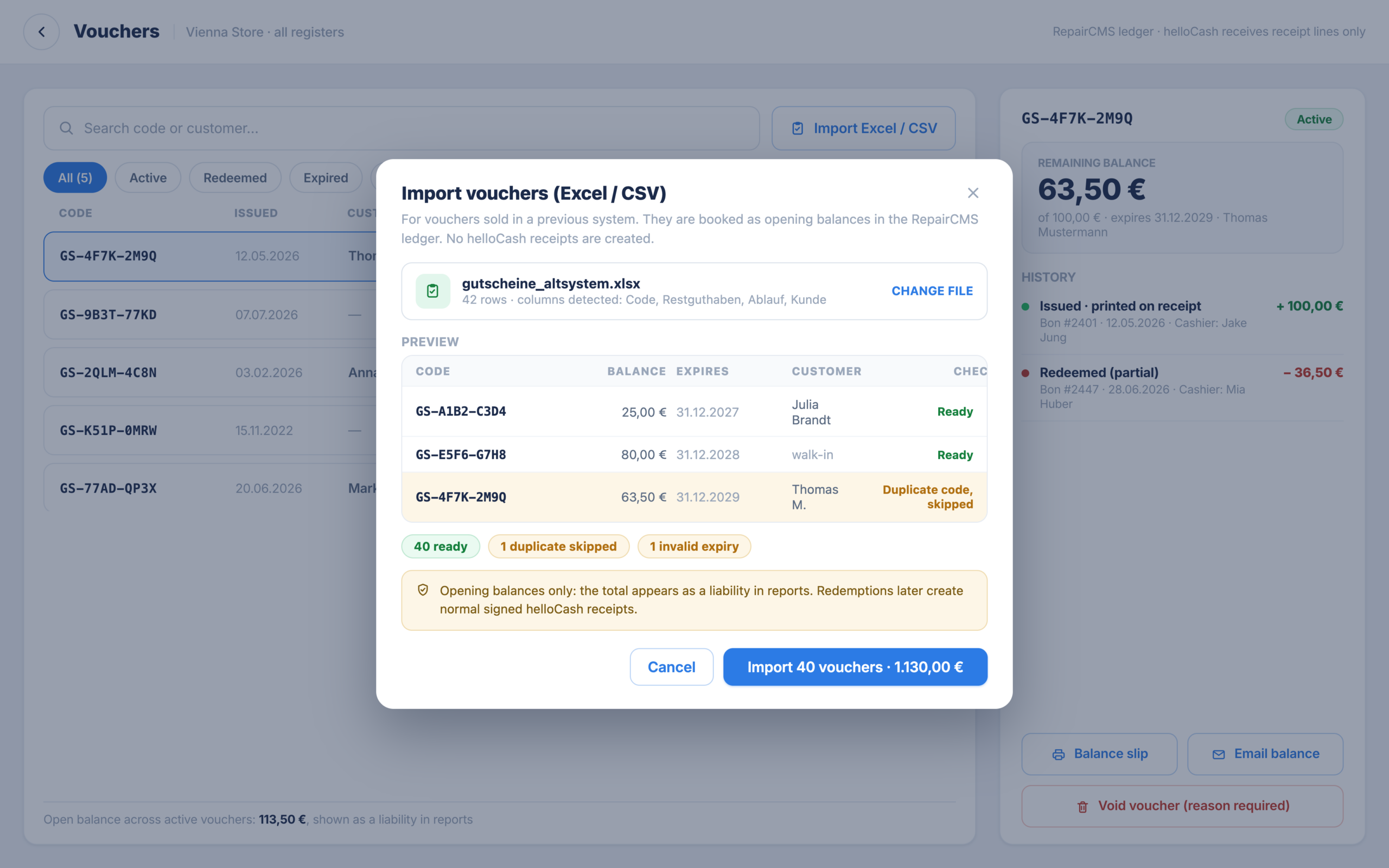
Bring your old gift cards with you
Switching from another POS? Import your old gift cards by spreadsheet, with code, remaining balance, expiry date and customer. They are added as opening balances, and the import checks for duplicates and invalid expiry dates.
The import creates no HelloCash receipts. Only when a customer redeems does a normal signed HelloCash receipt appear.
08Several shops, one system
Several locations and a plan B
One counter or several branches, the POS grows with you. And if the connection ever hiccups, you are not left stuck in front of the customer.
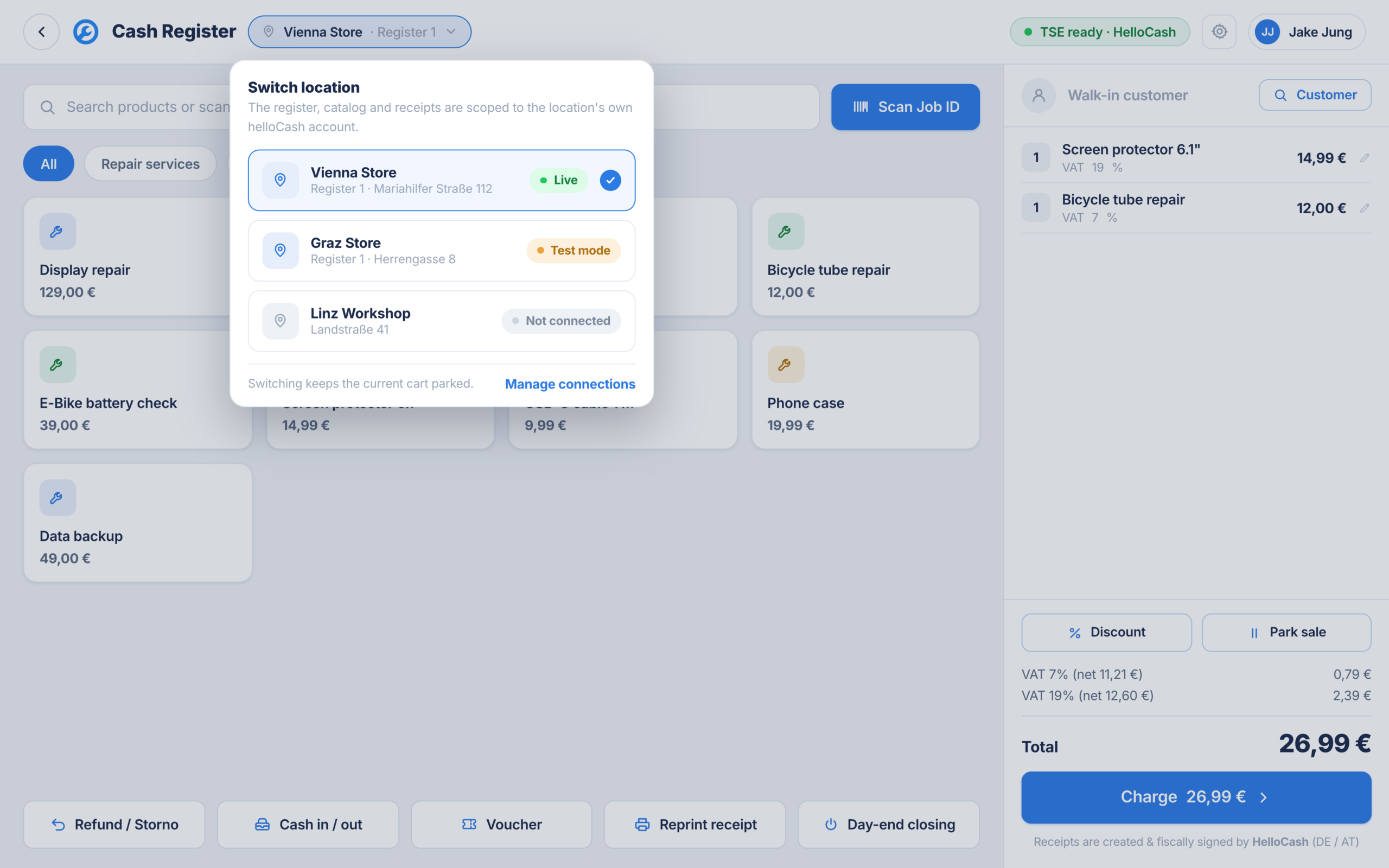
Every location with its own till
Till, catalogue and receipts can be bound to a separate HelloCash account per location. You switch location right in the interface and see the connection status per location. For repair shops in Germany and Austria.
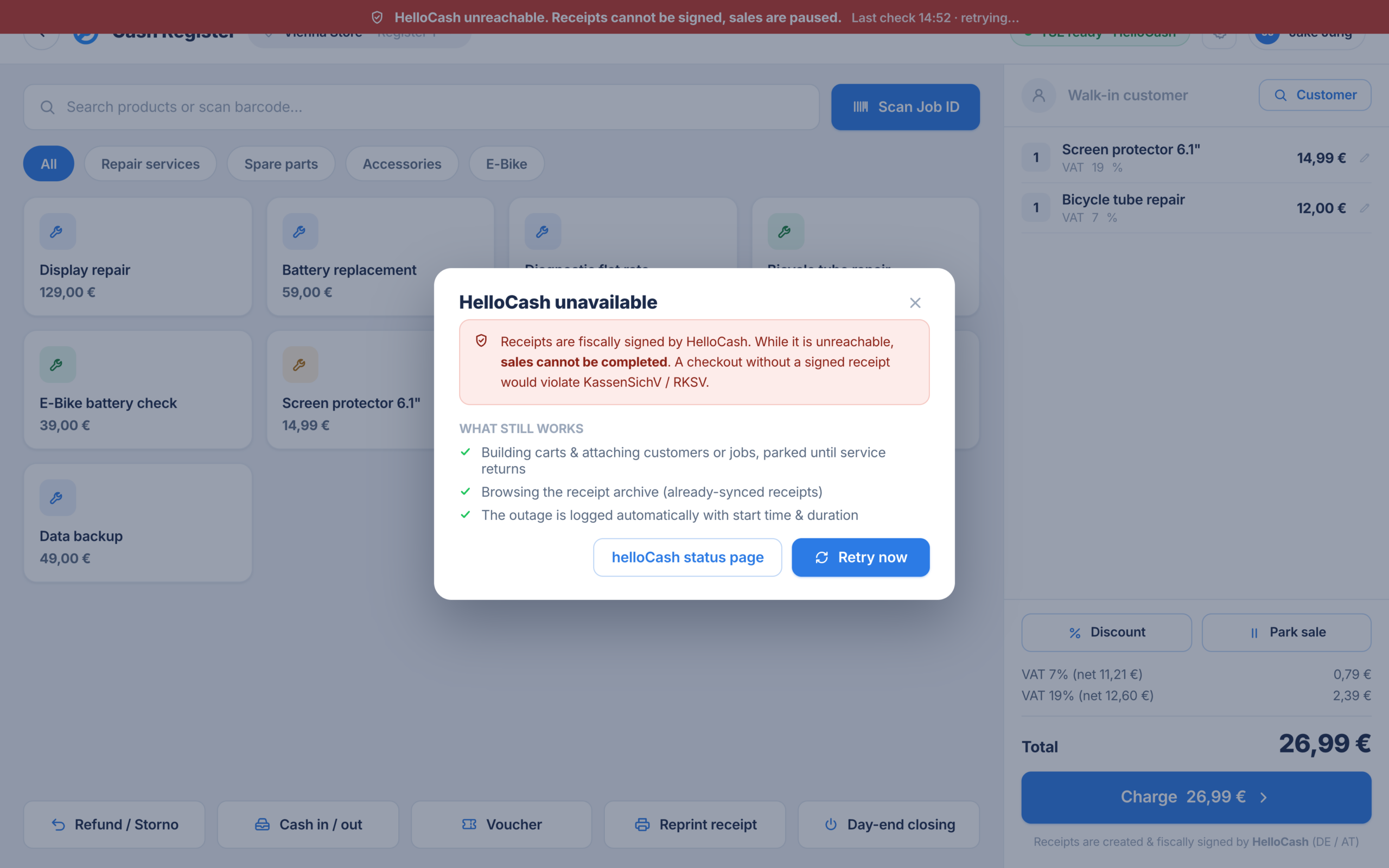
When HelloCash is unreachable
The POS switches to a limited mode and shows you clearly what works right now and what has to wait. No guesswork at the counter.
09TSE, RKSV and clear responsibility
How fiscal compliance gets into your POS
Taking fiscally compliant payments means every receipt is signed technically. That is exactly what HelloCash is for.
HelloCash signs, RepairCMS runs the counter
Fiscal compliance runs through HelloCash. In Germany with TSE, in Austria under RKSV. HelloCash creates and signs the receipts, you run the till in your familiar RepairCMS interface. RepairCMS itself has no TSE module and needs none.
Every transaction has a name
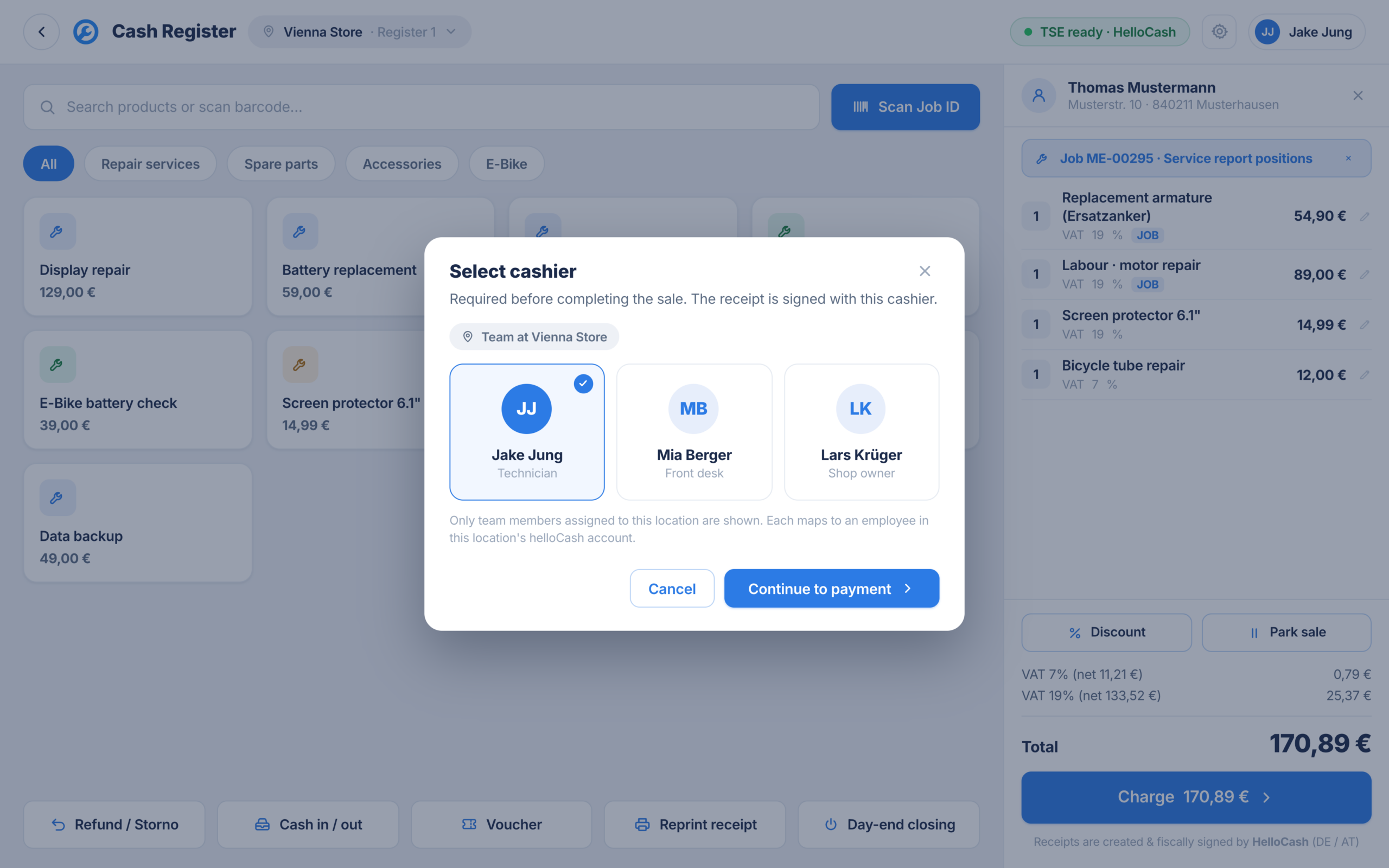
Before every payment, cashier selection is mandatory. Sale, void and discount are always tied to one person. That keeps order in the team and you can trace every transaction later.
10Receipt printer, cash drawer, terminal
The hardware is quick to set up
Runs on a PC and on a tablet. You set up the receipt printer and card terminal right in the POS settings.
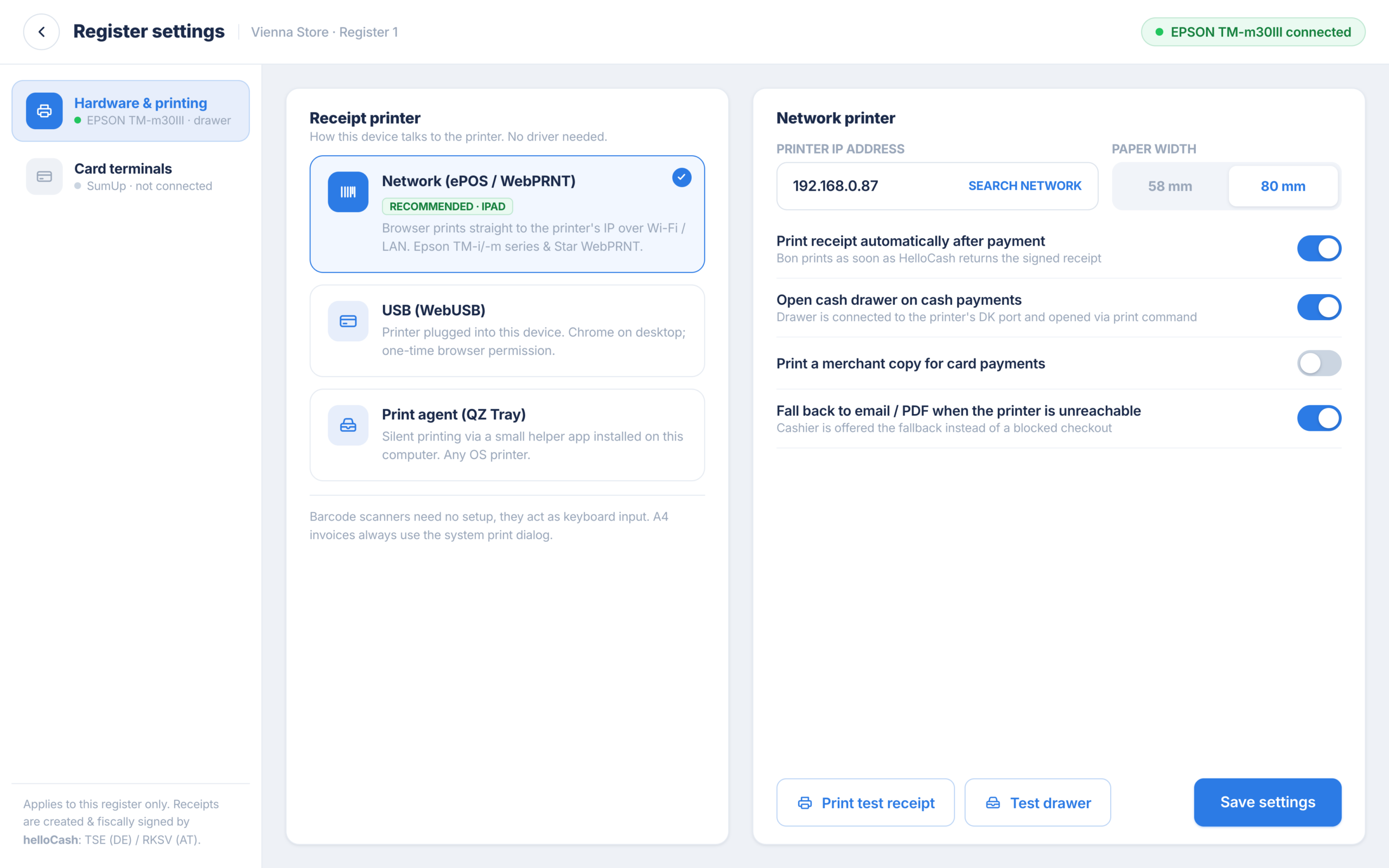
Receipt printer and cash drawer
Direct receipt printing on a network receipt printer or by USB on the computer, paper width 58 or 80 mm, cash drawer on the printer. If the printer is ever unreachable, the receipt goes out as email or PDF and the payment stays valid.
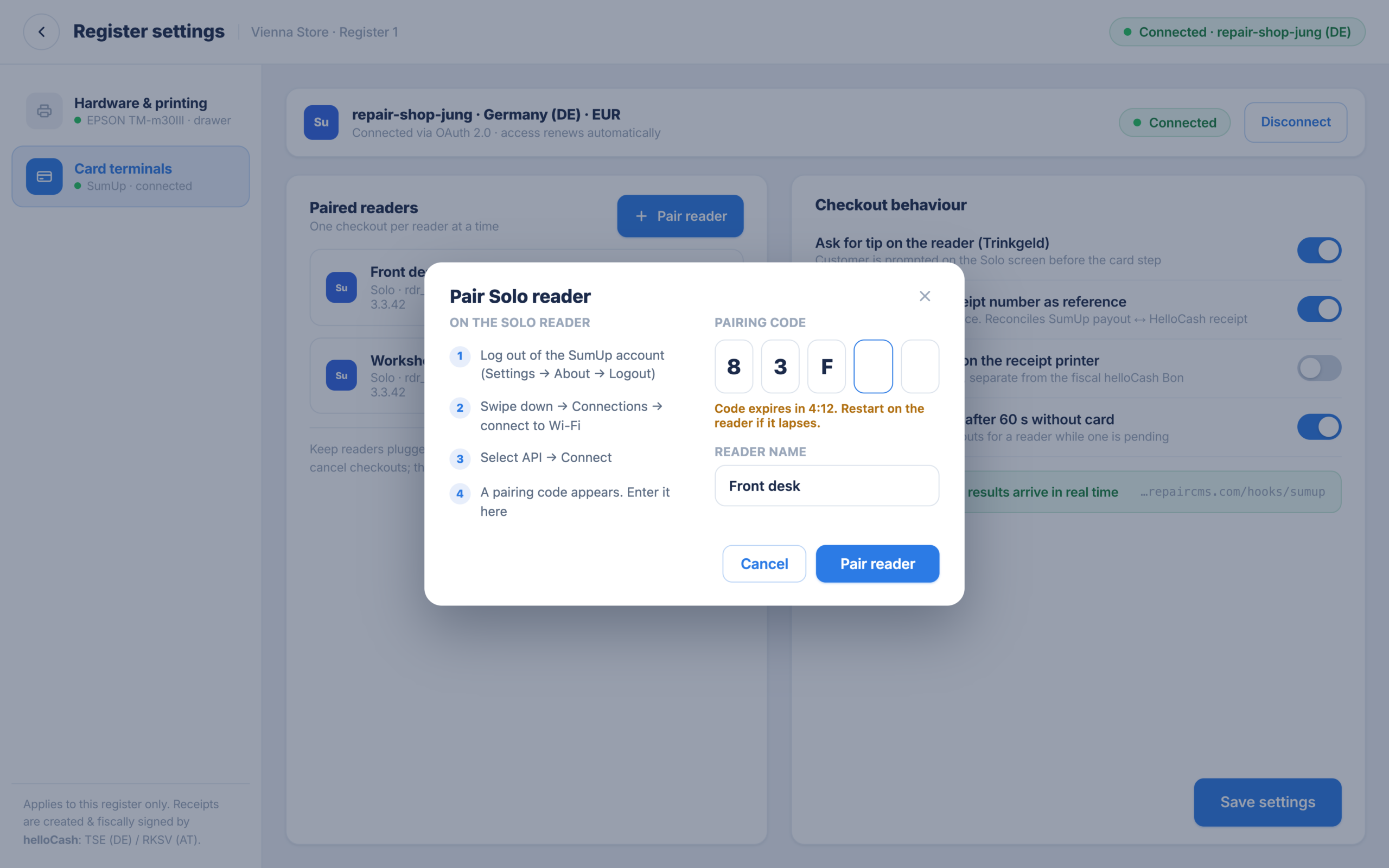
Connect a SumUp Solo
The SumUp Solo is a standalone terminal with its own display, no separate smartphone. You connect it to the till with a coupling code. You can order it directly from SumUp.
A cloud POS that feels like a local till. Repair order, checkout and receipt come together.
11Transparent, no hidden costs
Costs and requirements
So you know where you stand from the start.
Included in RepairCMS
Separately through HelloCash
POS setup TSE/RKSV
Coming soonIf you like, we set it all up for you: HelloCash account, TSE or RKSV registration, the link to RepairCMS and a first test receipt. Also coming soon, as soon as the integration launches.
See the POS setup12Good to know
Frequently asked questions
See the point of sale before it launches
The point of sale is coming soon. Try RepairCMS free today or book a demo, and we show you ahead of launch how you take fiscally compliant payments straight from RepairCMS.
See all pricing